RETRIEVE THE FILES TO YOUR PC
1. Plug the device into your PC using the USB cable.
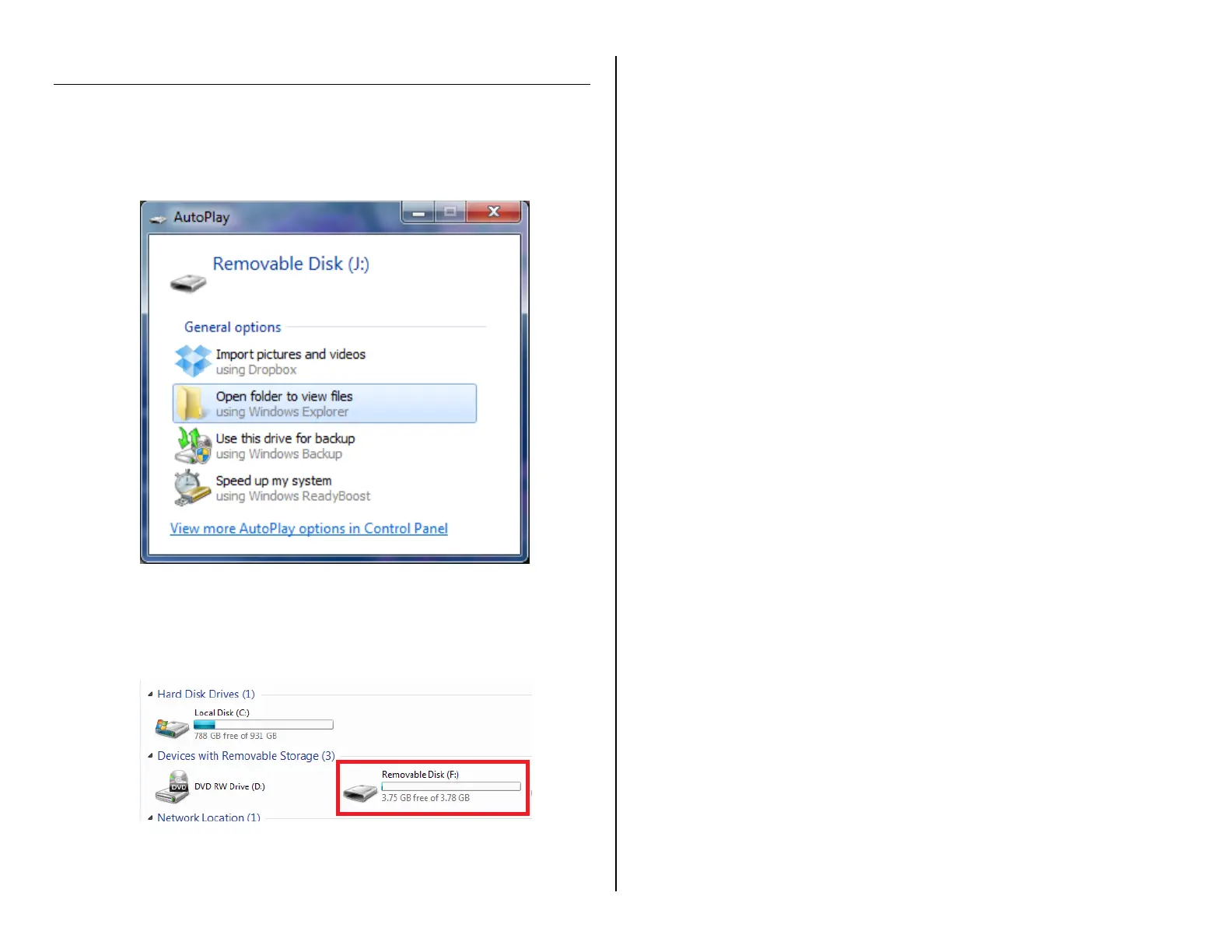
2. Locate “Removable Disk” inside the (My) Computer folder.
AutoPlay Removable Disk > Open folder to view files
Or…
Go to Start > Computer > Removable Disk
3. Open the Removable Disk drive.
4. Open the DCIM folder.
5. Open the folder featuring a sequence of numbers.
6. Double click the file you want to view.
VLC Player is recommended for watching videos.


 To Next Page