Updated 04/23/2018 6 Version 1.0
b. The charging indicator light will
blink when fully charged.
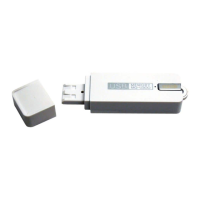
3. Alternatively, you can plug the USB stick
into an AC wall charger’s USB jack, then
plug the wall charger into a functioning
outlet.
HOW TO CHECK THE REMAINING BATTERY LIFE
1. Eject the device from your PC or AC wall
charger.
2. The battery indicator light will display
one of three ways.
a. 0%-30% power = light off
b. 30%-70% power = light blink
c. 70%-100% power = light on
HOW TO RECORD [MANUALLY]
1. Unplug the device from your PC or AC
wall charger.


 To Next Page