MAC PRINTING SETUP FOR MAC OS
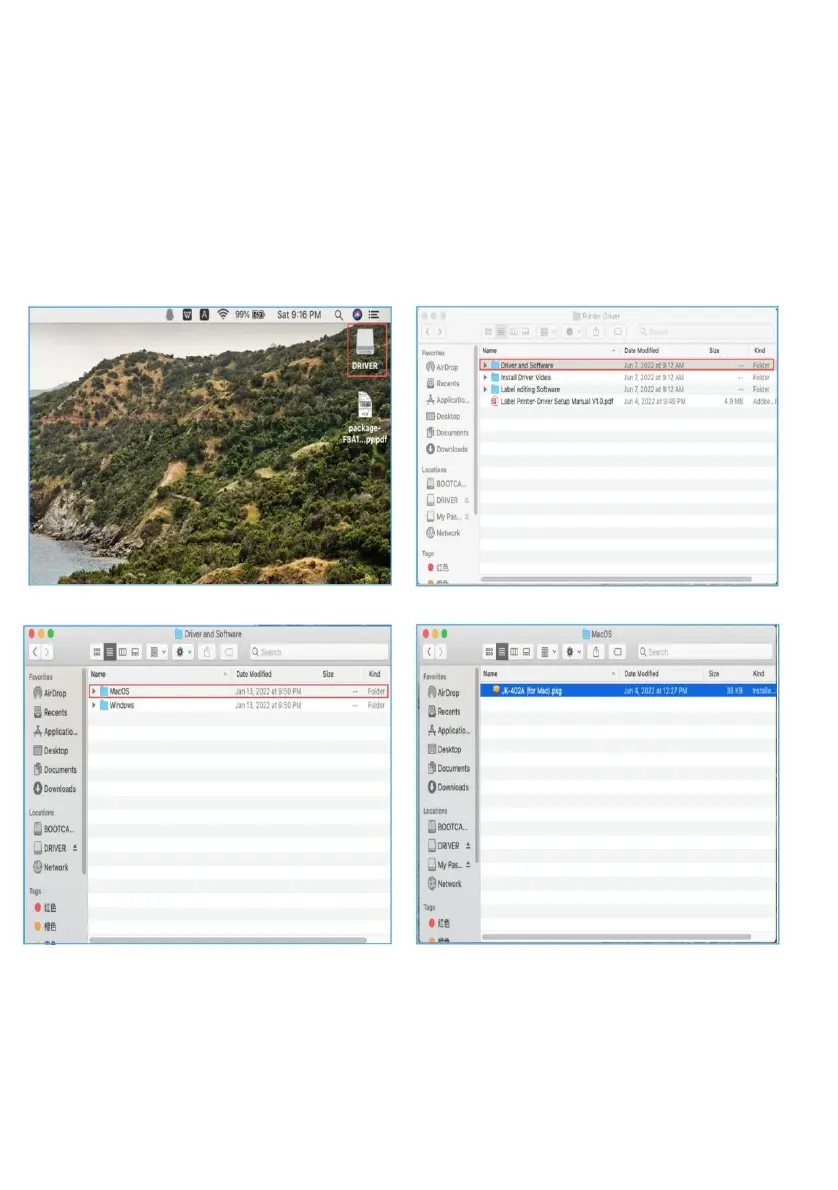
Please insert the included USB into your computer.A flash drive
icon will usually appear on the desktop. If a dialog box does not
appear, open Finder and select the flash drive on the left side of
the window.
Insert the drive disc into the computer,and find the MAC printer
driver file "JK-402A.pkg"as shown in the figure below.



 To Next Page