EasyManua.ls Logo

Minox DTC 1200 - User Manual

Minox DTC 1200
2 pages
Print Icon
To Next Page IconTo Next Page
Loading...
12x
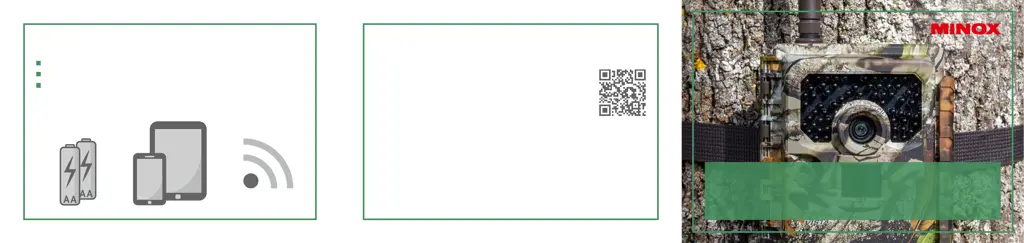
WHAT ELSE DO YOU NEED?
12 batteries, type LR6 (AA) 1.5V or equivalent NiMH chargeable batteries
Smartphone or tablet
A stable data connection (for app download)
DO YOU HAVE ANY QUESTIONS?
For answers to frequently asked questions go to:
www.minox.com/app-dtc1200
Here, you will also find all instruction manuals,
support information and additional contact options
should you require detailed help.
MINOX GmbH
Walter-Zapp-Str. 4 · 35578 Wetzlar · Germany
Phone +49 (0) 64 41 / 917-0 · Fax +49 (0) 64 41 / 917-612
info@minox.com · www.minox.com
QSG DTC 1200, EN, 10/2019
TRAIL CAMERA
DTC 1200
QUICK START GUIDE

Other manuals for Minox DTC 1200

Questions and Answers

  • P
    Patrick VasquezAug 1, 2025
    Why is my Minox Scouting Camera not sending images?
    • T
      Terry MayAug 2, 2025
      If your Minox Scouting Camera is not sending photos after changing locations, ensure that data transmission is activated in the app. If the camera has already found a strong network, it will repeatedly attempt to log in for the fastest connection. You can speed this up by manually uploading one or two images. If the signal strength is too weak at the new location, an error message will appear. Immediately carry out the manual transmission procedure again, so your camera learns that a new network is available.
  • L
    Lisa BaileyAug 5, 2025
    What to do if my Minox Scouting Camera displays 'low battery'?
    • M
      meganpaulAug 6, 2025
      If your Minox Scouting Camera displays “LOW BATTERY”, it means the batteries are almost empty and must be replaced.
  • K
    Kayla PotterAug 10, 2025
    Why are night images too dark on my Minox DTC 1200 Scouting Camera?
    • L
      Lisa WilliamsAug 10, 2025
      To address dark night images on your Minox Scouting Camera, ensure the power saving mode is set to "ON" and replace the batteries.
  • M
    Maria ChangAug 14, 2025
    How to prevent my Minox DTC 1200 from taking photos without animals?
    • J
      Joshua BellAug 14, 2025
      If your Minox Scouting Camera is taking photos without animals, ensure there are no branches or other objects within the sensor's operating range that could cause faulty recordings due to movement.
  • R
    romeroaprilAug 18, 2025
    How to fix overexposed night images on Minox DTC 1200 Scouting Camera?
    • B
      ballardmatthewAug 19, 2025
      To resolve overexposed night images with your Minox Scouting Camera, select a location to mount the camera so that it is not affected by reflective signs, windows, or similar sources.
  • G
    Gabriella VegaAug 23, 2025
    How to fix Minox DTC 1200 that does not turn on?
    • S
      Sarah MorganAug 23, 2025
      If your Minox Scouting Camera does not turn on, replace the batteries with fresh ones or check the batteries and change them if necessary.
  • D
    David CordovaAug 27, 2025
    Why does my Minox DTC 1200 only send photos when set to video?
    • H
      henrydouglasAug 27, 2025
      When the Minox Scouting Camera is set to “VIDEO” mode, only sample photos are sent to the app. To access the videos, retrieve the data directly from the SD card.

Summary

What Is Included

Camera Components Identification

Getting Started Guide

Minox DTC 1200 Specifications

General IconGeneral
Image ResolutionUp to 12 MP
Detection RangeUp to 20 m
MemorySD card up to 32 GB
Battery LifeUp to 6 months
Protection ClassIP54
Night VisionYes
WaterproofYes
Trigger Speed0.5 seconds
Display2.4 inch color display
Power Supply8 x AA batteries
Image Sensor5 MP

Related product manuals