
 Need help?
Do you have a question about the MiraMate Mini Magic and is the answer not in the manual?
Use a 9V lithium battery, ensuring correct positive terminal orientation in the compartment.
Connect via USB to a portable power supply or 5V adapter for continuous use.
Remove the internal battery when using external power sources to prevent premature discharge.
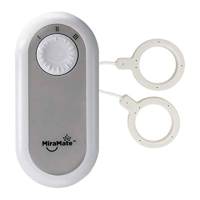
Ensure the coil plug is fully inserted into the device socket for proper signal transmission.
Use the rotary switch to select one of three power levels, with level three recommended.
Turn the device on using the switch located on the right side of the unit.
The smooth side of the coils must always be in direct contact with the skin for optimal treatment.
Learn three methods: side-by-side, facing each other, or stacked for varied treatment depth and area.
Ensure clothing does not interfere, checking for metal elements like shirt buttons.
Use the provided Coil Tester; place coils individually, observing regular flashing of red lights.
 General
| Brand | MiraMate |
|---|---|
| Model | Mini Magic |
| Category | Medical Equipment |
| Language | English |

 To Next Page