· For close-up, copying and photomicrographic work, use critical focuser VF 3 . This viewfinder when collapsed turns into a I 5 times
magnifier for critical focusing at the center of the focusing screen. When opened it becomes a 5 times magnifier for inspecting the entire
picture area.
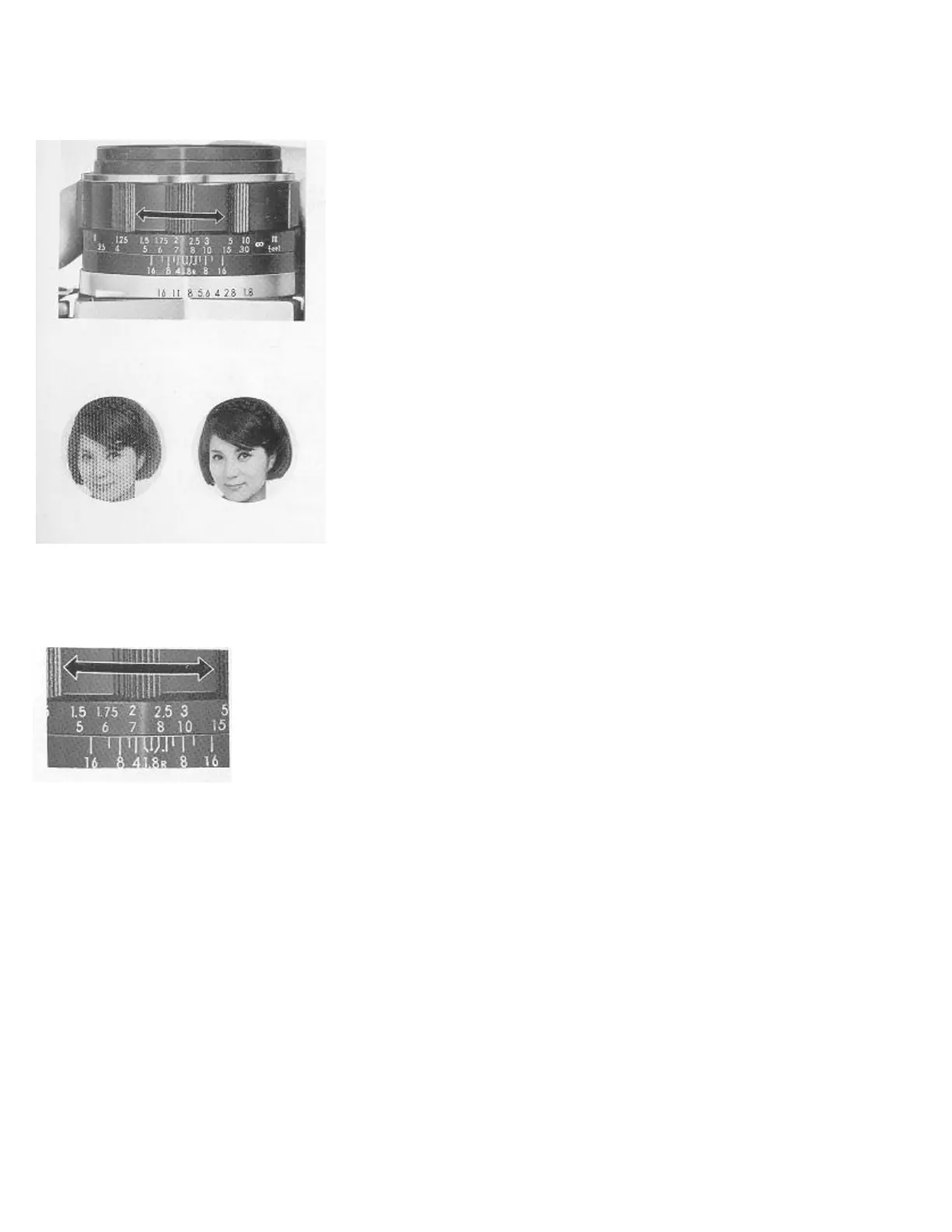
ADJUSTING THE FOCUS--
While looking through the viewfinder, if the focusing ring is turned either to the
right or left it will, make the blurred image of the subject become clear and sharply
focused.
· The focusing is very easy as the viewfinder shows in its center a multi-
microprism (collection of minute prisms). This gives jagged edges to the image as
soon as it is out of focus even in the slightest degree. Light is collected to the
focusing screen by means of a special system of fine-grained Fresnel lens and
condenser, which permits bright corner-to-corner viewing.
Focusing for Infra-Red Shots
For infra-red shooting, first set to accurate focus in the normal way, then shift that distance reading to match the red "R" mark on the
aperture ring of the lens.
HOW TO HOLD CAMERA AND PRESS SHUTTER BUTTON
To obtain a sharp picture, the camera must be held properly. If there is camera shake,
good pictures cannot be obtained even with the best camera in the world. Whether
shooting in the vertical or horizontal position, aim the camera at the subject with the
elbows pressed against the body if possible, but not too tightly, as this would stiffen the
posture.



 To Next Page