Go to
MistKing
.com for more information on systems and parts
Mistking
®
is a Registered Trade Mark of © All Rights Reserved
Tips:
a) RAPID ADJUST: While setting individual values, press and hold “up arrow” or “down arrow” for faster advancement of settings
b) SAVE & EXIT: When done modifying values press and hold “SET” key for 3 seconds to Save & Exit. Alternatively don't input anything
for 15 seconds and timer will exit automatically saving and displaying the main screen.
c) RESET: In normal status press UP and DOWN arrows together for 5 seconds. Timer will reset to factory settings. Since no programs
will be set the right part of the screen will show OFF.
Q
Quick-ON Function:
In normal status, press and hold up arrow key for 5 seconds to active the quick-on function. While pressed the timer will activate
allowing you to quickly bypass any timer settings and manually activate the misting system. Quick ON, does not affect any settings.
When up arrow is released, timer resumes normal operation and misting stops.
Energy-saving:
If there is no key activity on the ST-24 for approximately 10 minutes the LCD backlight automatically turns off. Pressing any key will
reactivate the back light again.
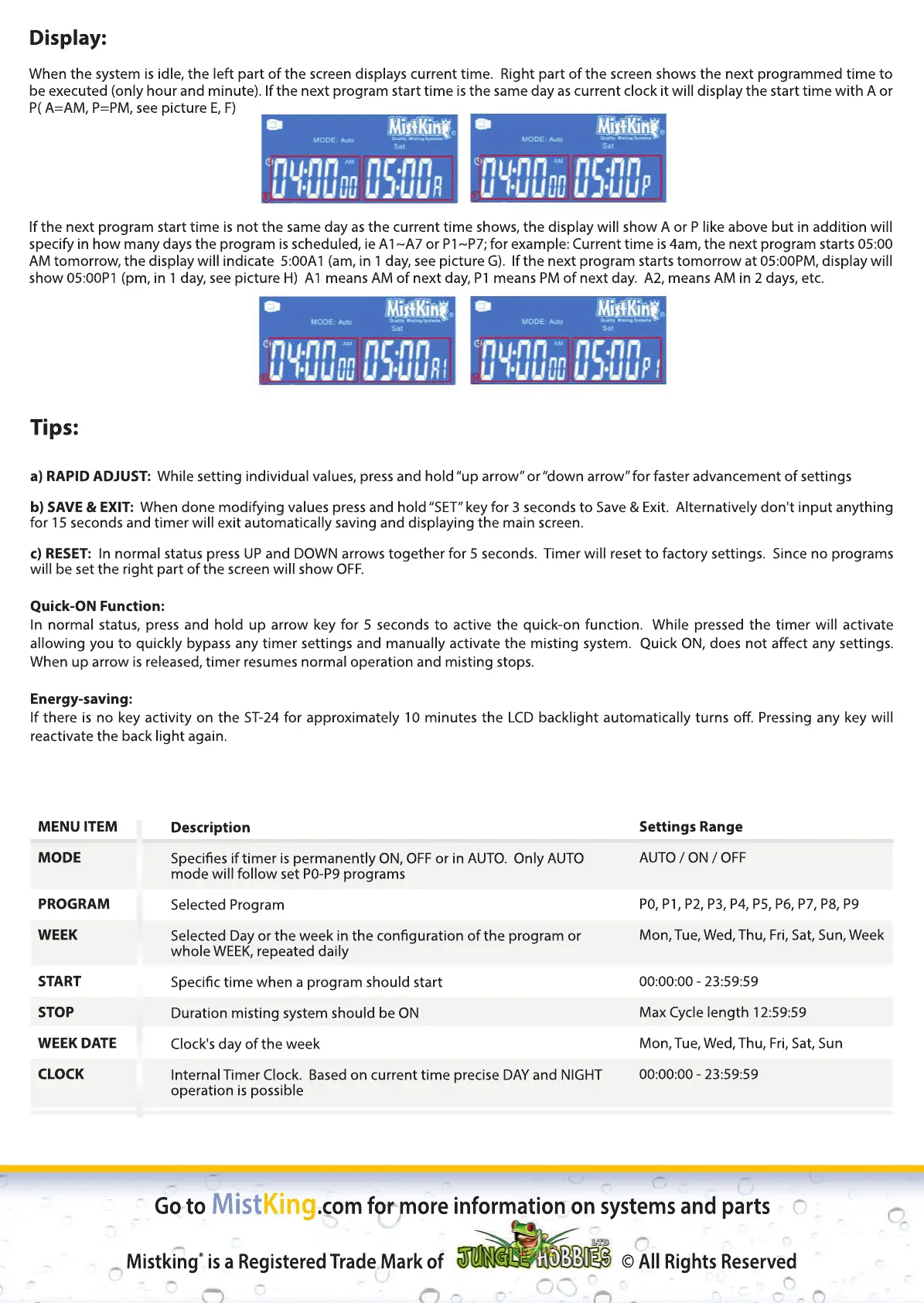
Display:
When the system is idle, the left part of the screen displays current time. Right part of the screen shows the next programmed time to
be executed (only hour and minute). If the next program start time is the same day as current clock it will display the start time with A or
P( A=AM, P=PM, see picture E, F)
I
If the next program start time is not the same day as the current time shows, the display will show A or P like above but in addition will
specify in how many days the program is scheduled, ie A1~A7 or P1~P7; for example: Current time is 4am, the next program starts 05:00
AM tomorrow, the display will indicate 5:00A1 (am, in 1 day, see picture G). If the next program starts tomorrow at 05:00PM, display will
show 05:00P1 (pm, in 1 day, see picture H) A1 means AM of next day, P1 means PM of next day. A2, means AM in 2 days, etc.
MENU ITEM
MODE
PROGRAM
WEEK
START
STOP
WEEK
WEEK DATE
CLOCK
Description
Species if timer is permanently ON, OFF or in AUTO. Only AUTO
mode will follow set P0-P9 programs
Selected Program
Selected Day or the week in the conguration of the program or
whole WEEK, repeated daily
Specic time when a pSpecic time when a program should start
Duration misting system should be ON
Clock's day of the week
Internal Timer Clock. Based on current time precise DAY and NIGHT
operation is possible
Settings Range
AUTO / ON / OFF
P0, P1, P2, P3, P4, P5, P6, P7, P8, P9
Mon, Tue, Wed, Thu, Fri, Sat, Sun, Week
00:00:00 - 23:59:59
Max Cycle length 12:59:59
M
Mon, Tue, Wed, Thu, Fri, Sat, Sun
00:00:00 - 23:59:59


 To Previous Page
 Loading...