Cold / Ambient / Sparkling water :
1. Place your cup on the grid of the drip tray or, if not available, under the water outlet.
2. Move your finger in front of the desired water until water flows.
3. Water distribution is triggered within the second.
Hot water :
1. Place your cup on the grid of the drip tray or, if not available, under the water outlet.
2. Approach your finger until the LED blinks.
3. After about 3 seconds, hot water distribution starts.
OPERATING
13
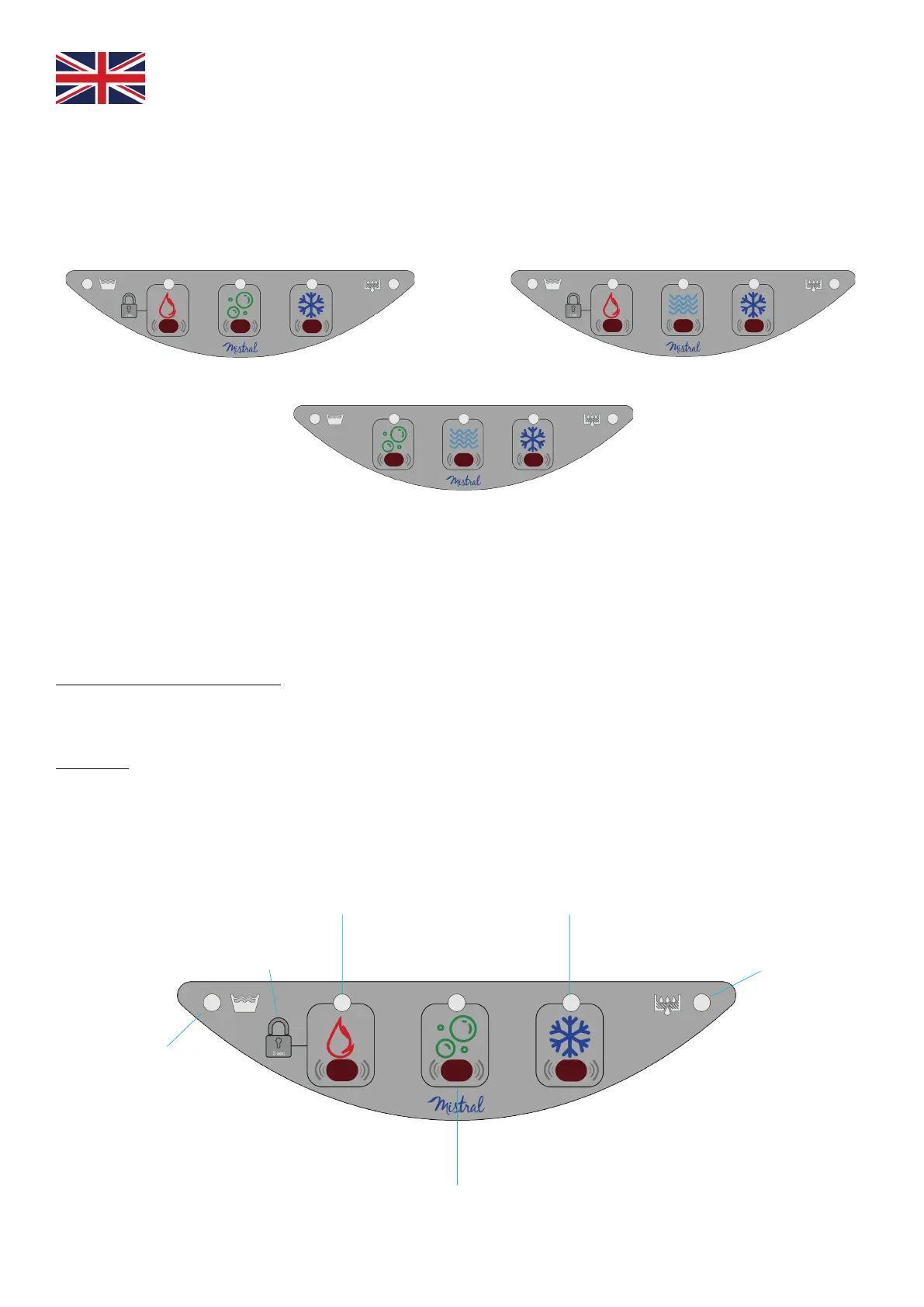
Hot / Sparkling / Cold water
Hot / Ambient / Cold water
Sparkling / Ambient / Cold water
Operating touchless keyboard for EVOPURE® A.I.R.
Keyboards
Indicator light of drip tray
level control
Antiburn device
for hot water
Cold Water
Indicator light for filter
replacement
Hot water
Sparklingt water
EVOPURE® A.I.R.


 To Next Page