Call 1-800-437-1314
Monday-Friday 8:00AM-5:00PM Eastern Time
Email: info@mitchellgolf.com
Warning
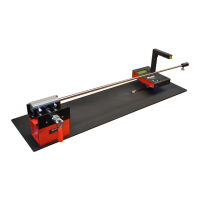
The DigiFlex™ Frequency Meter 2.0 uses a Class 2 laser module. Caution should be
exercised when using the DigiFlex™ Frequency Meter 2.0 to avoid looking directly into the
laser or reflections of the laser beam. Permanent eye damage can result from exposure
to laser. Always use laser approved safety glasses (rated for 650nm wavelength) or the
plastic shaft collar included or piece of black tape to prevent reflections when measuring
a chrome or other reflective shafts.
The DigiFlex™ Frequency Meter 2.0 uses a lithium-ion battery as its power source. Care
should be taken not to store the DigiFlex™ Frequency Meter 2.0 in extreme temperatures.
The safe storage temperature range for the DigiFlex™ Frequency Meter 2.0 is between
45° F - 100°F. Operating temperatures should not exceed 95°F.
Lithium-Ion Battery Management System
The DigiFlex™ Frequency Meter 2.0 incorporates a lithium-ion battery management
system that continuously monitors the charge rate and discharge level of the battery.
This is necessary to maximize the life of the battery and optimize performance. The status
of the battery and charging are displayed on the upper right side of the LCD display.
Do not attempt to replace the DigiFlex™ Frequency Meter 2.0 battery yourself—you
may damage the battery, which couldcause overheating, fire, and injury. The lithium-
ionbattery in your DigiFlex™ Frequency Meter 2.0 should be serviced by Mitchell Golf
LLC, and must be recycled ordisposed of separately fromhousehold waste. Dispose of
batteries according toyour local environmental laws and guidelines.


 To Next Page
 Loading...