4
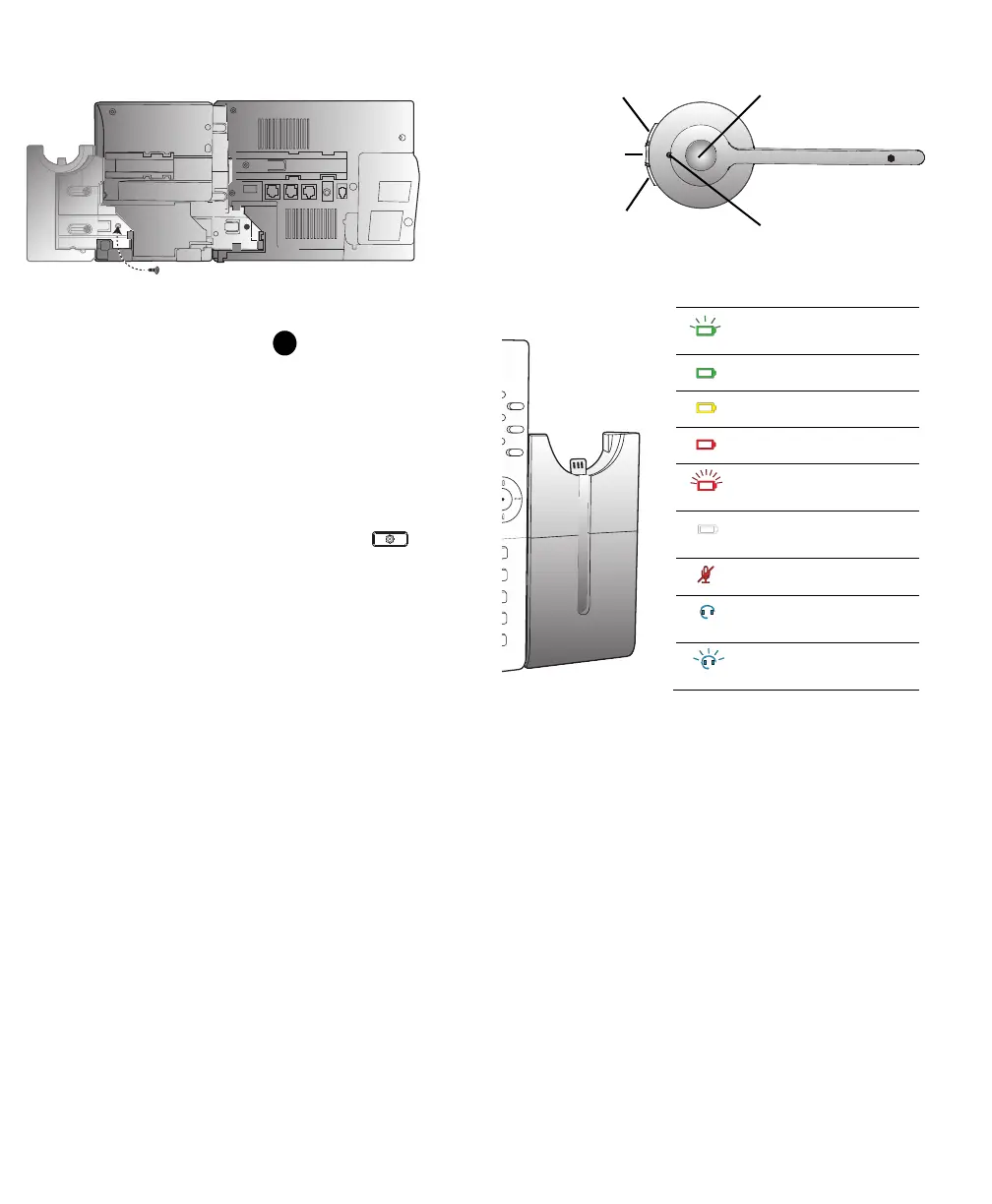
5. Insert the screw and tighten it using a screwdriver.
Charging the headset (See Figure )
To charge the headset, dock the headset in the base. When docked correctly
the headset battery will begin charging.
When fully charged, the headset offers up to 8 hours of talk time.
Upgrading the headset
To upgrade the headset firmware, dock the headset in the base and reboot the
Mitel SIP 6930 or 6940 IP phone.
NOTE:
For the headset firmware upgrade, the battery level of the Integrated
DECT Headset must be at 20% at least. To check the battery level (and
firmware version) of the Integrated DECT Headset, press t
he
(Settings)
key on your Mitel SIP 6930 or 6940 IP phone, navigate to
Status
and
Phone Info
, and scroll-down to
DECT Headset Version
.
Using the headset
Using the base
FCC and IFETEL (wireless equipment)
This device complies with part 15 of the FCC rules. Operation is subject to the
following two conditions: (1) This device may not cause harmful interference
and (2) This device must accept any interference received, including
interference that may cause undesired operation.
Users are not permitted to make changes or modify the device in any way.
Changes or modifications not expressly approved by Mitel Networks
Corporation will void the user’s authority to operate the equipment.
This device and its antenna must not be co-located or operating in conjunction
with any other antenna or transmitter. Non body-worn devices must be placed
at least 8” (20cm) away from the body.
FCC (corded equipment)
This equipment has been tested and found to comply with the limits for a Class
B digital device, pursuant to part 15 of the FCC Rules. These limits are designed
to provide reasonable protection against harmful interference in a residential
installation. This equipment generates, uses and can radiate radio frequency
energy and, if not installed and used in accordance with the instructions, may
cause harmful interference to radio communications. However, there is no
guarantee that interference will not occur in a particular installation. If this
equipment does cause harmful interference to radio or television reception,
which can be determined by turning the equipment off and on, the user is
encouraged to try to correct the interference by one or more of the following
measures:
• Reorient or relocate the receiving antenna.
LED Status Indicators
Battery charging
(green - slow flash)
Full battery (green)
Medium battery (yellow)
Low battery (red)
Very low battery
(red - fast flash)
Unknown battery status
(white)
Microphone muted
Active audio between
headset and base
Searching for headset
(flashing)
Speaker volume up
Mute
Speaker volume down
Answer/end button
LED indicator


 To Next Page
 Loading...