Need help?
Do you have a question about the MitraStar Movistar GPT-2541GNAC and is the answer not in the manual?
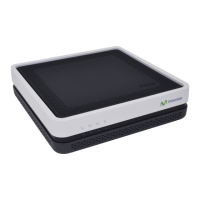
Provides a general overview of the GPT-2541GNAC GPON ONT's capabilities and features.
Explains how to connect the Router using proper cables and the power adapter.
Details the meaning and status of the front and rear panel LEDs on the Router.
Guides users on how to access the advanced configuration screens of the Router.
Displays general device and WAN connection status information.
Lists the Router's WAN connections and their current status.
Shows traffic statistics counters for the Router’s wired and wireless LAN interfaces.
Displays traffic statistics counters for the Router’s WAN interfaces.
Displays the Router’s IPv4 and IPv6 routing tables.
Lists IP addresses mapped to MAC addresses for IPv4 and IPv6 neighbor tables.
Shows the Router’s list of IP addresses currently leased to DHCP clients.
Manages the GPON layer-2 interface for Internet access.
Manages the Gigabit Ethernet port for Internet access.
Configures the Router’s WAN settings and connection status.
Sets the Local Area Network IP address, subnet mask, and DNS server information.
Configures IP alias and public static IP for partitioning networks.
Controls VLAN ID and 802.1p priority tags for LAN port traffic.
Sets the Local Area Network interface IPv6 settings.
Manages WAN service Layer 2 Tunneling Protocol (L2TP) client settings.
Manages virtual server rules to make inside servers visible to the outside world.
Configures rules to allow dynamic port usage for services.
Specifies an IP address for a default server to receive packets not in Port Forwarding.
Enables or disables the NAT Application Layer Gateway (ALG) for SIP.
Enables or disables the firewall and manages default policies.
Configures incoming and outgoing firewall rules for traffic control.
Allows or blocks client access based on MAC addresses.
Configures access time schedules for specific users.
Blocks or allows access to specific web sites.
Enables QoS to assign priority to upstream traffic based on IP precedence or packet length.
Configures QoS queue assignment for traffic management.
Configures QoS classifiers to group traffic based on specific criteria.
Selects WAN interfaces to serve as system default gateways.
Views and configures static route rules on the Router.
Overrides default routing behavior based on defined policies.
Configures RIP settings for exchanging routing information with other routers.
Views and configures DNS routes on the Router.
Updates current dynamic IP address with dynamic DNS services.
Enables the UPnP feature for peer-to-peer network connectivity.
Sends the Router's own address to LAN clients as the DNS server.
Creates interface groups to assign IP addresses in different domains.
Encapsulates IPv6 packets in IPv4 packets for crossing ISP's IPv4 network.
Uses IPv4 through an ISP's IPv6 network.
Provides secure communications over the Internet using IPSec.
Adds IPSec VPN policies with various configuration settings.
Manages the Router’s list of certificates and certification requests.
Views trusted certificates of certification authorities.
Controls hardware modules to reduce power consumption.
Configures multicast and IGMP/MLD group settings.
Configures the 2.4 GHz wireless network settings.
Configures security settings for wireless networks.
Allows or blocks client access based on MAC addresses.
Configures advanced wireless settings like channel, bandwidth, and power.
Displays the connection status of wireless clients.
Configures the 5 GHz wireless network settings.
Configures advanced settings for the 5 GHz wireless band.
Enables Wi-Fi Protected Setup for easy addition of WPS-compatible devices.
Filters access for 5GHz wireless devices based on MAC addresses.
Sets up Wireless Distribution System (WDS) links between APs.
Displays connection status of wireless clients on the 5 GHz network.
Enables and configures SIP accounts for outgoing and incoming VoIP calls.
Configures SIP server information, QoS, phone functions, and dialing plans.
Sets phone region and supplementary service modes (Europe/USA).
Manages speed-dial numbers for frequently-used VoIP phone numbers.
Views a summary of received, dialed, and missed calls.
Displays detailed information for each outgoing call made.
Displays detailed information for each incoming call.
Provides background material relevant to VoIP screens.
Tests the Router's network connections.
Checks host availability and troubleshoots network connections.
Backs up the Router’s current configuration to a file on the computer.
Uploads a new or previously saved configuration file from computer to Router.
Clears user-entered configuration and returns the Router to factory defaults.
Allows selection of event categories for logging and display.
Displays system logs, including date/time, facility, severity, and messages.
Configures the Router’s log settings, including level, display, and mode.
Displays security-related system logs.
Configures SNMP agent functionality for network management.
Configures the Router for management by an ACS (Auto Configuration Server).
Configures the Router to get time from Internet time servers.
Changes login passwords for Router system accounts.
Enters the password for the GPON Internet access account.
Uploads new software to upgrade the Router's performance.
Restarts the Router using the web configurator.
Provides suggestions to solve potential problems encountered with the Router.
 General
| Device Type | Network Router |
|---|---|
| LAN Ports | 4 |
| WAN Ports | 1 |
| USB Ports | 1 |
| Ethernet Ports | 5 |
| WAN Port Speed | 10/100/1000 Mbps |
| Firewall | Yes |
| Frequency Bands | 2.4 GHz |
| Security Features | WPA, WPA2 |
| Wi-Fi Standard | 802.11ac |

 To Next Page