

 Need help?
Do you have a question about the Mitsubishi Electric MSH-A30WV and is the answer not in the manual?
 General
| Brand | Mitsubishi Electric |
|---|---|
| Model | MSH-A30WV |
| Category | Air Conditioner |
| Language | English |
Important safety warnings to prevent hazards like fire or electric shock.
Important safety cautions to prevent minor injuries, damage, or incorrect operation.
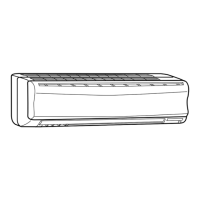
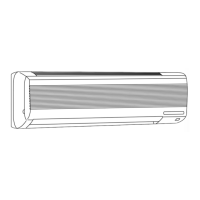
Labels and identification of all parts of the indoor air conditioning unit.
Labels and identification of all parts of the outdoor air conditioning unit.
Explanation of the auto restart feature and its operational behavior.
Instructions for correctly connecting the indoor unit to the power supply.
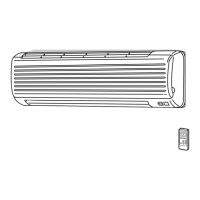
Distinguishing between remote controllers for different air conditioner models.
Proper handling, operational range, and care tips for the remote controller.
Steps for operating the unit when the remote control is not functioning.
Instructions and precautions for replacing remote control batteries.
Details on the 'I FEEL...' mode for automatically setting optimal room conditions.
Explanation of the automatic operation based on detected room temperature.
Meaning of operational status indicators displayed on the indoor unit.
How to select and adjust air flow speed and direction settings.
Guidance on optimal positioning of the horizontal vane for different modes.
Description of the auto-control feature for horizontal vane positioning.
Information on the Econo Cool mode for comfortable, energy-efficient cooling.
Procedure for scheduling the unit to turn on at a desired time.
Procedure for scheduling the unit to turn off at a desired time.
Essential safety steps to take before performing any maintenance tasks.
Step-by-step instructions for cleaning the indoor unit and its components.
Instructions for replacing the optional air cleaning filter for optimal performance.
Resolving issues related to unit operation, unusual sounds, and smells.
Addressing problems with airflow, cooling, heating, and mist discharge.
Troubleshooting outdoor unit smoke, multi-unit behavior, and auto-start functions.
Critical safety warnings and considerations for proper unit installation.
Recommendations for regular unit inspection and professional maintenance.
Advice on minimizing operating noise from the air conditioner unit.
Guidance on safely moving and properly disposing of the air conditioner.
 To Next Page