EN-8
The controller – the heart of the house
The controller – the heart of the
house
Controller function
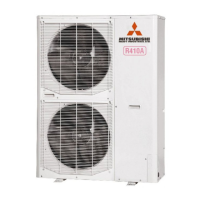
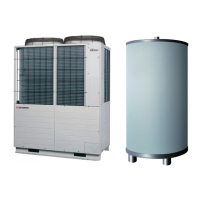
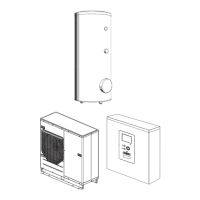
RC-HY20/40-W is a simple electrical controller, which,
together with MHI air/water heat pump, accumulator/water
heater and additional heater (e.g. electric/oil/gas boiler), creates
a complete installation. Among other things, it controls the heat
pump, circulation pumps, reversing valves and additional heat
to supply your home with inexpensive and environmentally
friendly heating in the most ecient way.
Contact with RC-HY20/40-W
Display unit
A
B
C
D
E
F
Display
Status lamp
OK button
Back button
Control knob
Switch
G
USB port
There is a display unit on the front of the controller, which is
used to communicate with RC-HY20/40-W. Here you:
■ switch on, switch off or set the installation to emergency
mode.
■ set the indoor climate and hot water as well as adjust the
installation to your needs.
■ receive information about settings, status and events.
■ see dierent types of alarms and receive instructions about
how they are to be rectied.
A Display
Instructions, settings and operational information are shown on
the display. The easy-to-read display and menu system, make it
easy to navigate between various menus and options, set
comfort and get the necessary information.
B Status lamp
The status lamp indicates the status of the controller. It:
■ lights green during normal operation.
■ lights yellow in emergency mode.
■ lights red in the event of an alarm.
C OK button
The OK button is used to:
■ confirm selections of sub menus/options/set values/page in
the start guide.
D Back button
The back button is used to:
■ go back to the previous menu.
■ change a setting that has not been conrmed.
E Control knob
The control knob can be turned to the right or left. You can:
■ scroll in menus and between options.
■ increase and decrease values.
■ change pages in multiple page instructions
(for example help text and service info).
F Switch (SF1)
The switch shows three positions:
■ On (
)
■ Standby (
)
■ Emergency mode (
)
Emergency mode must only be used in the event of a fault on
the controller. In this mode, the compressor in the heat pump is
turned o and the immersion heater is activate. The controller
display is not illuminated and the status lamp lights yellow.
G USB port
The USB port is hidden behind the plastic badge of the product
name.
The USB port is used to update the software.


 To Next Page
 Loading...