EN-25
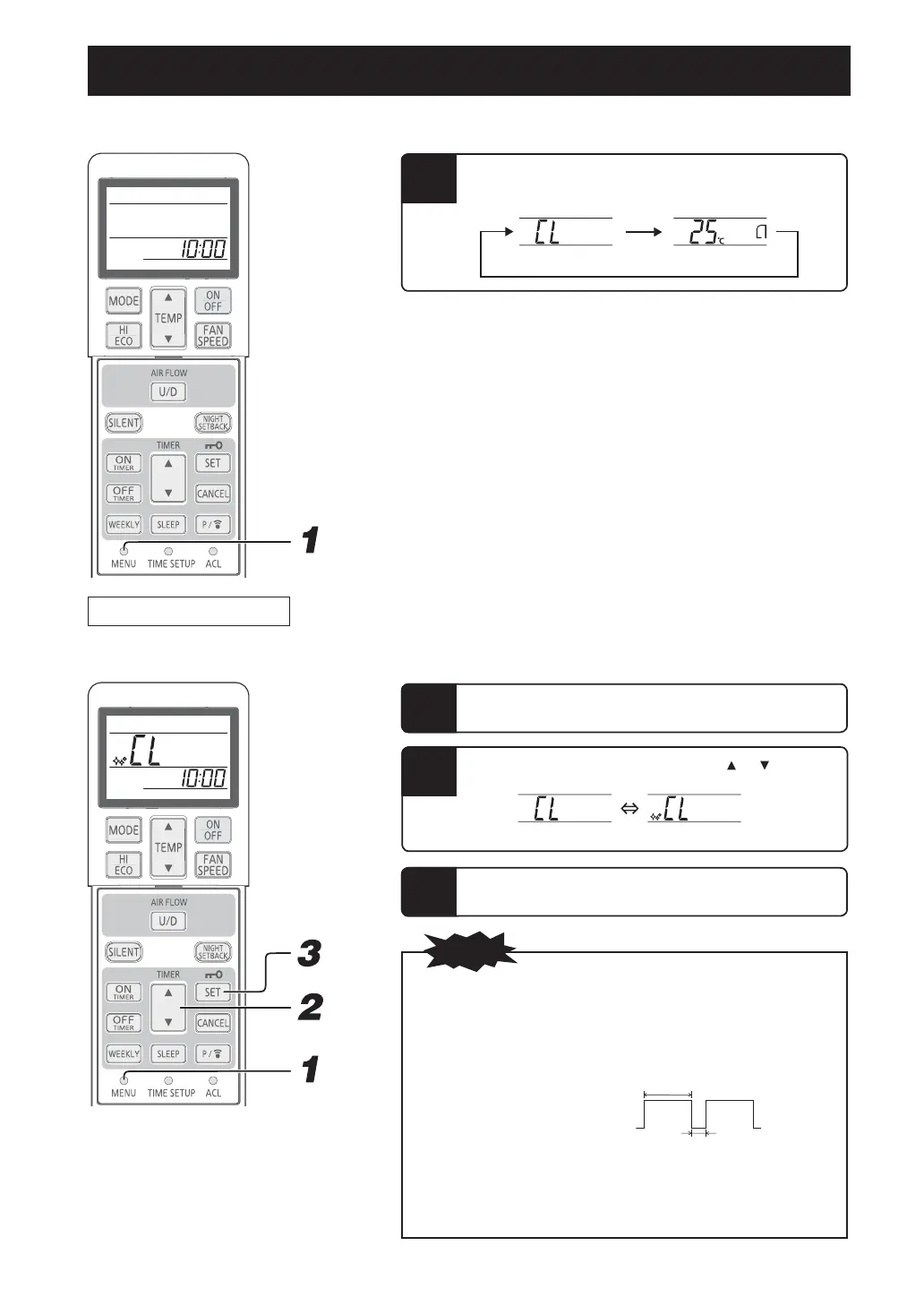
MENU function
■
MENU function is used for setting SELF CLEAN operation and PRESET operation.
1
Every time the MENU switch is pressed with the tip of a
ballpoint pen, etc., the display is switched in order of:
SELF CLEAN
operation
PRESET operation
NOTE
x Two hours later, the air-conditioner stops SELF CLEAN operation
automatically. To stop the air-conditioner immediately, press the ON/OFF
button.
x SELF CLEAN operation is not operated after HEAT, FAN, OFF-TIMER
and SLEEP operations have ¿nished.
x The indoor unit fan runs for about two hours in SELF CLEAN operation.
x The RUN light illuminates during SELF CLEAN operation.
x Pressing the SLEEP button or NIGHT SETBACK button during SELF
CLEAN operation cancels the SELF CLEAN operation and then the unit
is set to SLEEP or NIGHT SETBACK operation.
x This is not a function for removing mold, germs or grime that have
already adhered to the unit.
SELF CLEAN operation
■
SELF CLEAN operation should be run after AUTO, COOL and DRY operation to remove the moisture from inside of the indoor unit and
control the growth of mold and bacteria.
2
Select SELF CLEAN on by pressing “ or (TIMER)”
button.
Select the SELF CLEAN operation by pressing the
MENU switch.
1
Press the SET button.
3
(SELF CLEAN off) (SELF CLEAN on)
3 seconds
1 second
ON
OFF
RFB012A009F_EN.indd 25 4/25/2020 9:30:15 PM


 To Next Page
 Loading...