Check items
1 Condition of trouble – remote controller dis-
play, etc.
2 Frequency of trouble – date of start of opera-
tion and occurrence
3 Occurrence timing
4 Existence of drawings, equipment (including
controllers), cables, wiring, and settings.
Applicable models
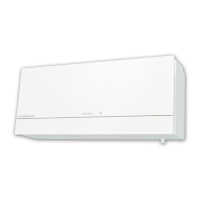
Lossnay
LGH-15 to 200RX
5-E
Remote controller
PZ-60DR-E
PZ-41SLB-E
PZ-52SF-E
Troubleshooting 1 The system will not start properly.
•
Check the initialization checklist from
installation to operation (Table 1-1-1 to 1-1-4 ).
•
Check the system checklist (Table 1-2-1 to 1-2-2).
Troubleshooting 2 •An error code displays on the remote
controller.
•The LED on the Lossnay circuit board is
blinking or lit up.
Check the checklist of error codes and
LED displays (Table 2-1 to 2-2).
Troubleshooting 3
The remote controller operation is
disabled or irregular.
The Lossnay operation is disabled or
irregular.
Troubleshooting 4
Check the checklist for the remote controllers
(Table 3-1 to 3-2).
Check the Lossnay checklist (Table 4).
Yes
No
No
This is normal.
No
No
Yes
Yes
Yes
—
45
—
7. Troubleshooting
I Work precautions
• When removing or touching a transformer, printed circuit board or other parts, make sure to turn off the power
supply isolator.
• When removing the circuit board, always hold it at both ends and remove carefully so as not to apply force to
the surface mounted parts.
• When removing the circuit board, be careful of the metal edges on the board.
• When removing or inserting the connectors for the circuit board, hold the entire housing section. Never pull on
the lead wires.
• When servicing, be sure to recreate the malfunction two or three times before starting repairs.
• If it is thought that there is a printed circuit board malfunction, check for disconnected wires in the print pattern,
burnt parts or discoloration.
• If the printed circuit board is replaced, make sure that the switch settings on the new board are the same as the
old board.
7-1 Service Flowchart


 To Next Page
 Loading...