Input/output setting mode
[15] Input/output setting mode
(1) Outline
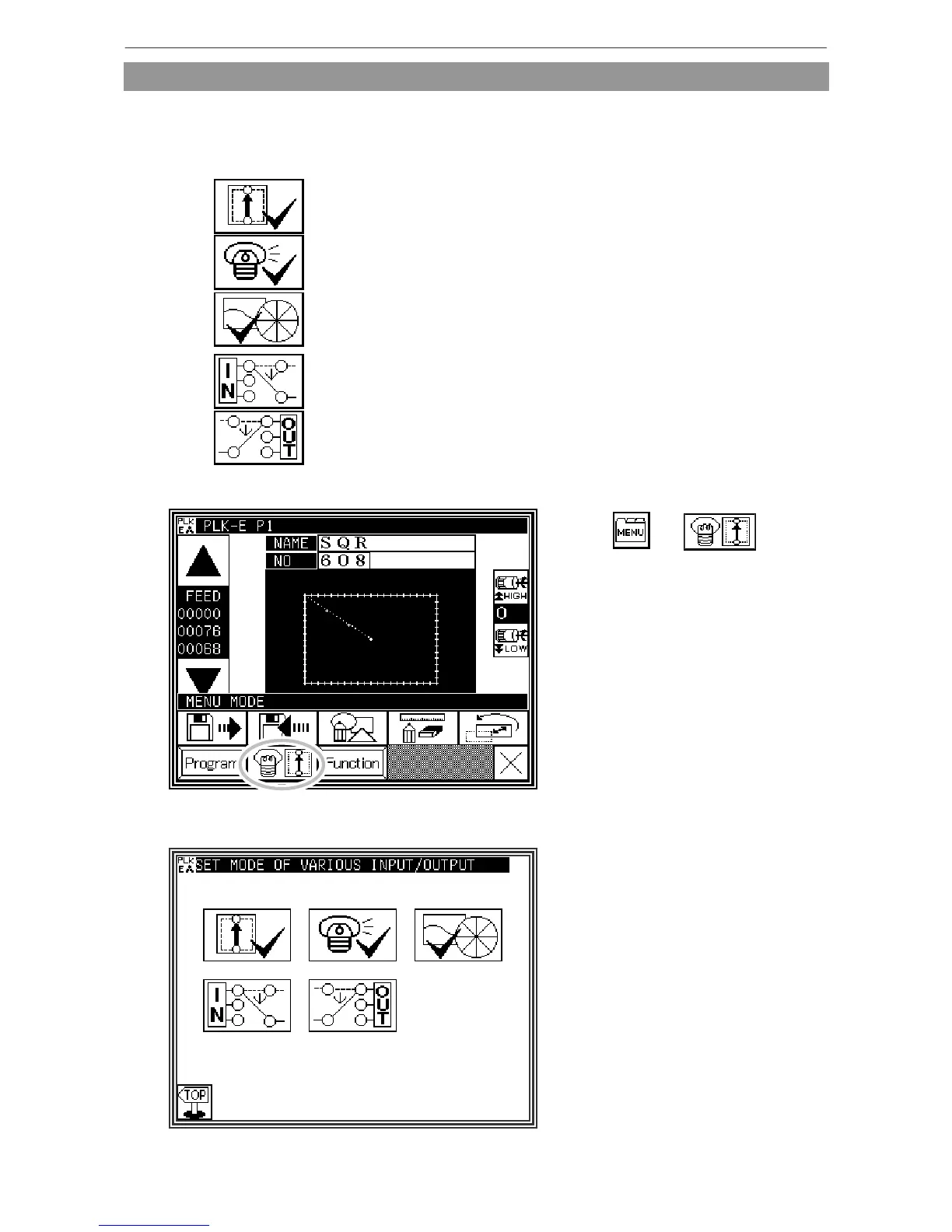
* List of input/output setting modes
Input signal confirmation
(Be careful! The sewing machine is ready for operation.)
Output signal confirmation
(Be careful! The sewing machine is ready for operation.)
Home position/encoder/detector confirmation
(Be careful! The sewing machine is ready for operation.)
Input setting (Custom input)
Output confirmation (Custom output)
* Entering the input/output setting mode
* Press and on
the Standard screen, and open the
Input / Output Setting Mode screen.
* Input / Output Setting Mode screen
[15]-1



 To Next Page
 Loading...





