MO6249
EN
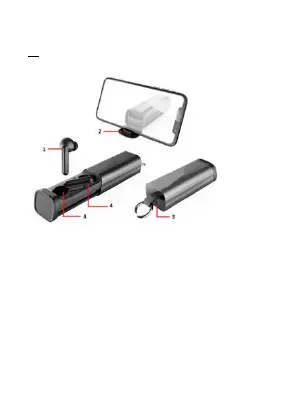
1. Power Button, press it to activate LED indicating light to
display the charging box and earbuds power status
2. phone stand.
3. Earbud Dock
4. LED Indicating Light for charging box power status
5. Micro USB Charging Interface on charging box
Power On:
Just take out the 2 earbuds, then earbuds will power on
automatically.
long press the button on the earbuds, you will hear " Power on "
The two earbuds LED (red and blue colors) light will flash
alternately.


 To Next Page