Operation:
Pairing
Pairing mode is activated during power on, and the blue light will
be flashing. To pair the speaker, use the device name “MO6887”,
The blue light will be on when the pairing is completed, and the
speaker will emit a tone. If the device becomes disconnected for 5
minutes, the speaker will automatically power off.
Music Player
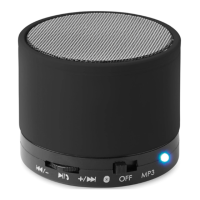
After the device connection is successful, short press " " to
pause or play. Long press "+" and "-" to adjust the volume; short
press "-" and "+" to previous or the next song.
Hands-free calls
When there is an incoming call, press " " to receive the call, and
then press" "to hang up the call. Long press " " to reject call.
AUX
supporting AUX plug and play. Insert the audio cables (not
included) into the audio ports.
Charging
1. Wireless charging: Put the mobile phone in the wireless
charging position, then short press “ ” to start charging.
2. Charging the speaker: While charging the red indicator light will
flash. Once fully charged the red light will remain on.
Troubleshooting:
1. Detect the volume of the
Wireless BT Connect device
and adjust the volume to an
appropriate position.
2. Please charge the battery when
the battery is low.


 To Next Page