Start using the bracelet
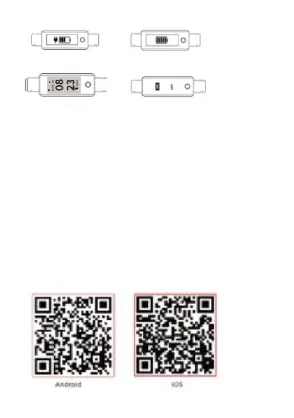
Standby page: Shutdown page:
Switch device on/ off
1. In the device’s off state, long press the function key for more
than 4 seconds to turn the device on;
2. In the shutdown page, long press the function key for more than
4 seconds to enter the shutdown interface, and short press to
select OFF. The watch will then automatically shut down.
Bracelet operation
1. To turn on device; short press the function key to start.
2. Default clock page; touch the short press function key to view
the different pages/ functions.
3. When switching to the heart rate and blood pressure interface,
the test will start automatically. The test ends about 40 seconds
or so after selection (if this device supports that function).
Install the bracelet APP on the phone and update the firm
wear on the device to the latest version.
Scan the QR code below or search “Yoho Sports” to download
the APP.


 To Next Page