EasyManua.ls Logo

MOBILE-ALERTS MA10660 - User Manual

MOBILE-ALERTS MA10660
2 pages
Print Icon
To Next Page IconTo Next Page
Loading...
Quick reference
MA10660 wind
sensor
MOBILE-ALERTS Sensor
This is a sensor for the "MOBILE-ALERTS" system, it
can be used with this system only. To use the sensor
you need a MOBILE-ALERTS gateway.
Quick Setup
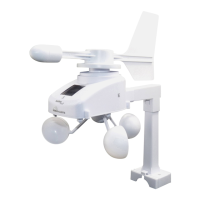
Remove the plastic foil from the solar panel (1) on the
sensor. The wind sensor must be installed with the front
of the sensor (the solar panel) facing true South, or the
reported wind direction will not be accurate. Secure the
main unit to the shaft of the mast holder (2). Use the
right-angle adaptor (3) if the wind sensor will be
mounted on a horizontal mast or surface. Fasten the
mast holder to a suitable mast using the two U-bolts,
washers and nuts included. Mount the wind sensor onto
a mast so the wind can reach the sensor unobstructed
from all directions for an accurate reading. The ideal
mast is between 15.75 mm and 33 mm in diameter.
The wind sensor DOES NOT have replaceable
batteries, it consumes solar power and charges the
internal battery pack automatically
Add Sensor
Open the app, dashboard is displayed. Tap "Add new
sensor" and scan the QR code on the base of the wind
sensor. Then set a name for the sensor.
Question and Answer IconNeed help?

Do you have a question about the MOBILE-ALERTS MA10660 and is the answer not in the manual?

Overview

This document describes the MOBILE-ALERTS MA10660 wind sensor, a component of the "MOBILE-ALERTS" system. This sensor is designed exclusively for use with a MOBILE-ALERTS gateway.

Function Description

The MA10660 is a wind sensor that measures wind speed and direction. It integrates with the MOBILE-ALERTS system, allowing users to monitor wind data via a dedicated app. The sensor is powered by a solar panel, which charges an internal battery pack, eliminating the need for replaceable batteries.

Important Technical Specifications

  • Power: Solar panel, which charges 2 x integrated Micro (LR03, AAA) rechargeable alkaline batteries.
  • Measuring Range: 0 – 50 m/s.
  • Accuracy: 5% +/- 0.5 m/s.
  • Wind Directions: 16 directions, with a 22.5° resolution.
  • Transmission Range: 100m (in open areas).

Usage Features

  • System Requirement: Requires a MOBILE-ALERTS gateway to function.
  • Quick Setup:
    1. Remove the plastic foil from the solar panel (1).
    2. Orientation: The wind sensor must be installed with the front (solar panel) facing true South to ensure accurate wind direction readings.
    3. Mounting: Secure the main unit to the shaft of the mast holder (2).
    4. Adaptor: Use the right-angle adaptor (3) if mounting on a horizontal mast or surface.
    5. Mast Holder: Fasten the mast holder to a suitable mast using the included two U-bolts, washers, and nuts.
    6. Placement: Mount the sensor on a mast where wind can reach it unobstructed from all directions for accurate readings.
    7. Ideal Mast Diameter: Between 15.75 mm and 33 mm.
  • Adding Sensor to App:
    1. Open the MOBILE-ALERTS app.
    2. Navigate to the dashboard.
    3. Tap "Add new sensor."
    4. Scan the QR code located on the base of the wind sensor.
    5. Set a name for the sensor within the app.
  • Data Access: Wind data is displayed in the app's dashboard.
  • Information and Instructions: More detailed instructions and information can be found within the app under "Info" or on the website www.mobile-alerts.eu.

Maintenance Features

  • Power Source: The sensor uses a solar panel to charge an internal, non-replaceable battery pack. This means there are no user-replaceable batteries, simplifying maintenance. The internal battery pack charges automatically.
  • Disposal:
    • Batteries: Old batteries must not be disposed of with general household waste. Users are obligated to return used batteries to their vendor or designated collection points.
    • Electrical Devices: Electrical devices must be disposed of separately from general household waste. Old electronics should be taken to a local waste collection point or recycling center.

Compliance Information

The declaration of Conformity for this device can be found at www.mobile-alerts.eu/technoline/doc.

MOBILE-ALERTS MA10660 Specifications

General IconGeneral
BrandMOBILE-ALERTS
ModelMA10660
CategoryAccessories
LanguageEnglish

Related product manuals