18
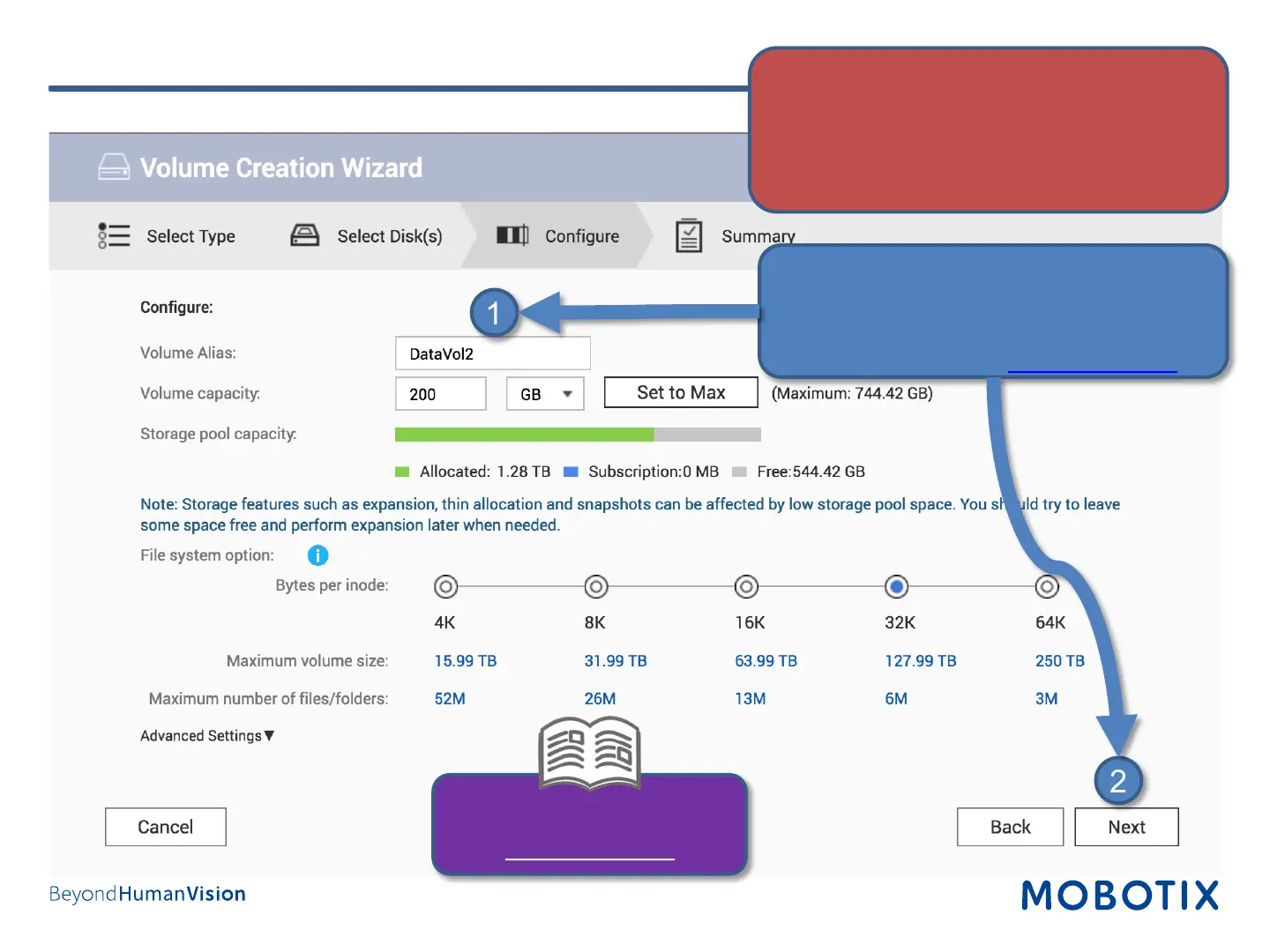
Step 7: Configure Volume (4)
1. Fill in the fields as required.
2. Click on Next to proceed.
Note: To calculate the space requirements, use
the Storage Calculator on www.mobotix.com.
2
1
Quick Guide – MOBOTIX NAS &
MOVE/ONVIF Cameras
www.mobotix.com
IMPORTANT: Reserve extra Recording Space if
you’d like to add MOBOTIX-MOVE cameras later
on!


 To Next Page