3
General Information (2)
A Note on Licensing
• MxManagementCenter can show MOBOTIX IoT and MOVE cameras “as is”, i.e., without any further
licensing. For bandwidth-optimized usage and professional applications, it is highly recommended to
use MxPEG.
• Using the Advanced Configuration feature of MxManagementCenter requires a license. This is
recommended for quick and easy setup of a video surveillance system.
For more information on licensing models, please read the MxMC 2.0 Tutorial from the MOBOTIX website
www.mobotix.com:
• Support > Download Center > Documentation > Brochures & Guides > Tutorials
Video Tutorials are available from the MOBOTIX website www.mobotix.com:
• Support > Download Center > Documentation > Video Tutorials
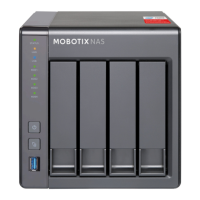
The MOBOTIX NAS HDD Compatibility List is available from the MOBOTIX website www.mobotix.com:
• Support > Download Center > Documentation > White Lists
Password Security!
• NEVER use the default access privileges! Always make sure that you have changed the default
passwords to strong passwords (numbers, lower/upper case letters, special characters)!
• The default user of the MOBOTIX NAS is “admin” and the password is “admin”.
• The default user of the MOBOTIX Cameras is “admin” and the password is “meinsm”.
• NEVER use the default access privileges! Always make sure that you have changed the default
passwords to strong passwords (numbers, lower/upper case letters, special characters)!


 To Next Page
 Loading...