33
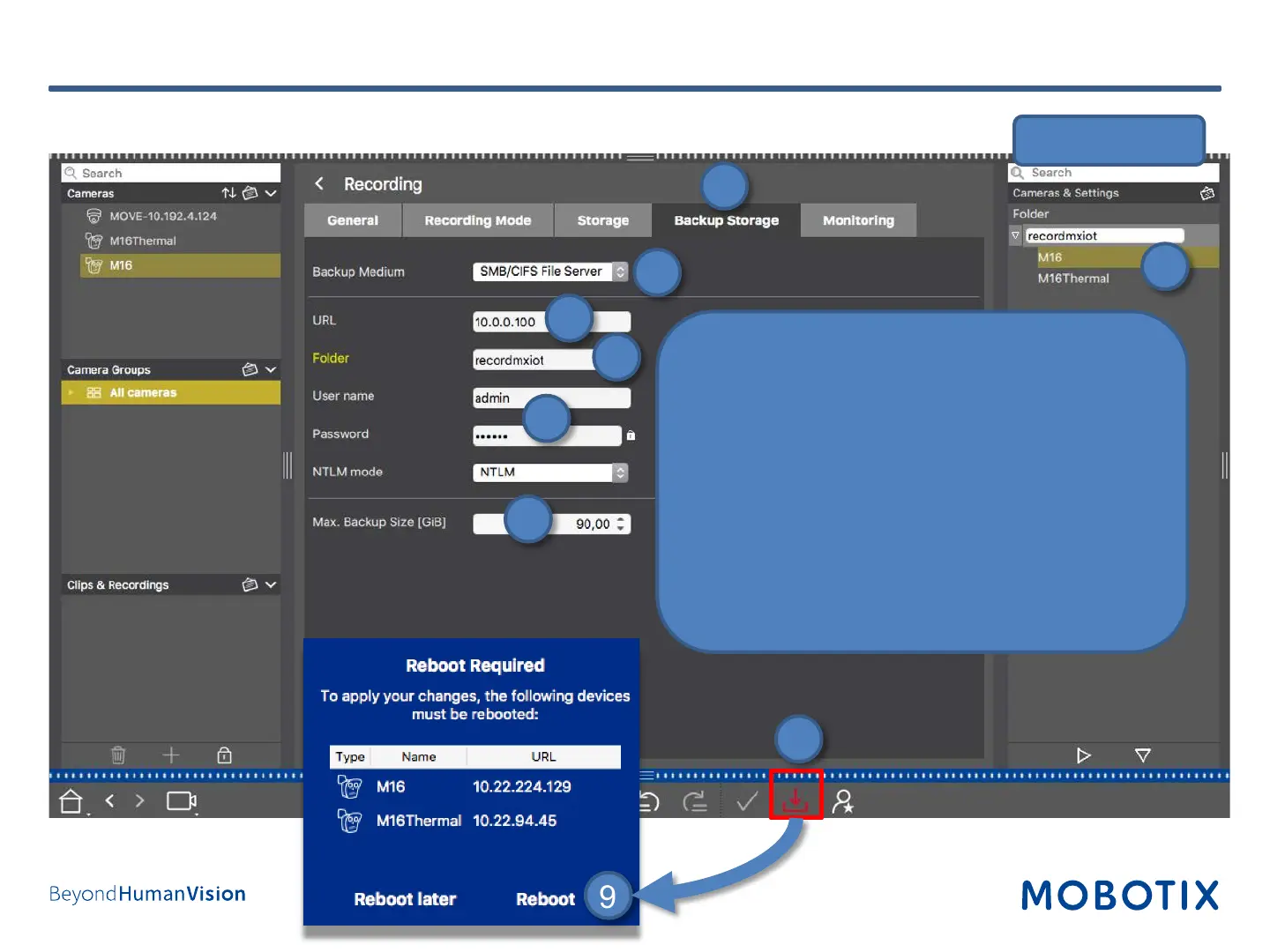
1. Open Backup Storage.
2. Select SMB/CIFS File Server.
3. Enter MOBOTIX NAS IP address.
4. Enter the share name of the NAS.
5. Enter user name and password for accessing the
share.
6. Set Max. Backup Size for the camera.
7. Copy this setting to all desired cameras using
Drag&Drop in the configuration bar.
8. Press the Store button to store the configuration.
9. Reboot the cameras you just modified.
Step 11: Configure Camera Recording (4)
Configuration Bar
1
2
3
4
6
5
7
8
9


 To Next Page