37
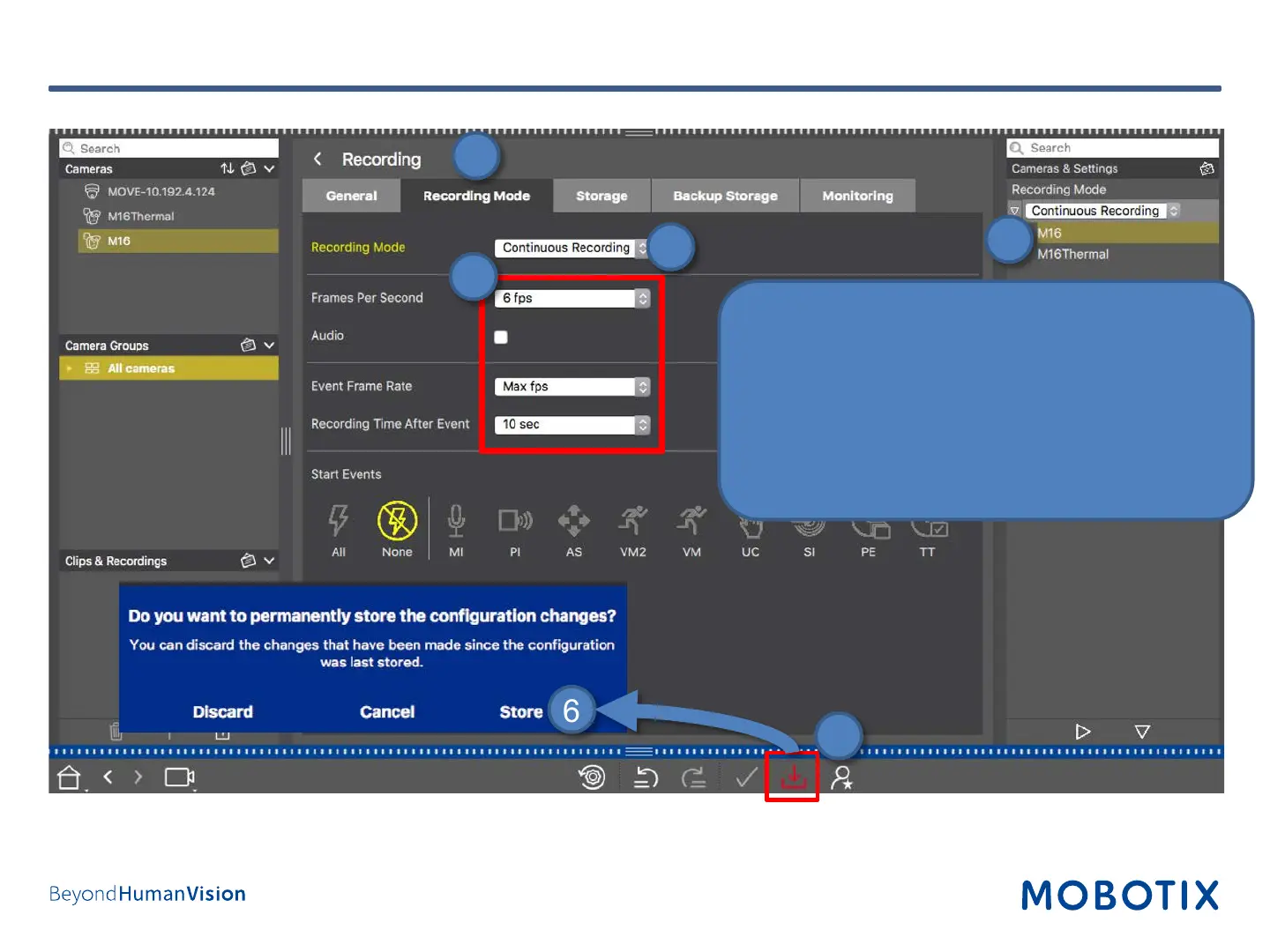
Step 12: Configure Camera Arming and Recording Mode (4)
1. Open Recording Mode tab.
2. Select Continuous Recording.
3. Set parameters (additional settings for event
recording).
4. Copy these settings to all desired cameras using
Drag&Drop in the configuration bar.
5. Press Store button at the bottom.
6. Press Store in the dialog.
1
2
4
6
5
3


 To Next Page