39
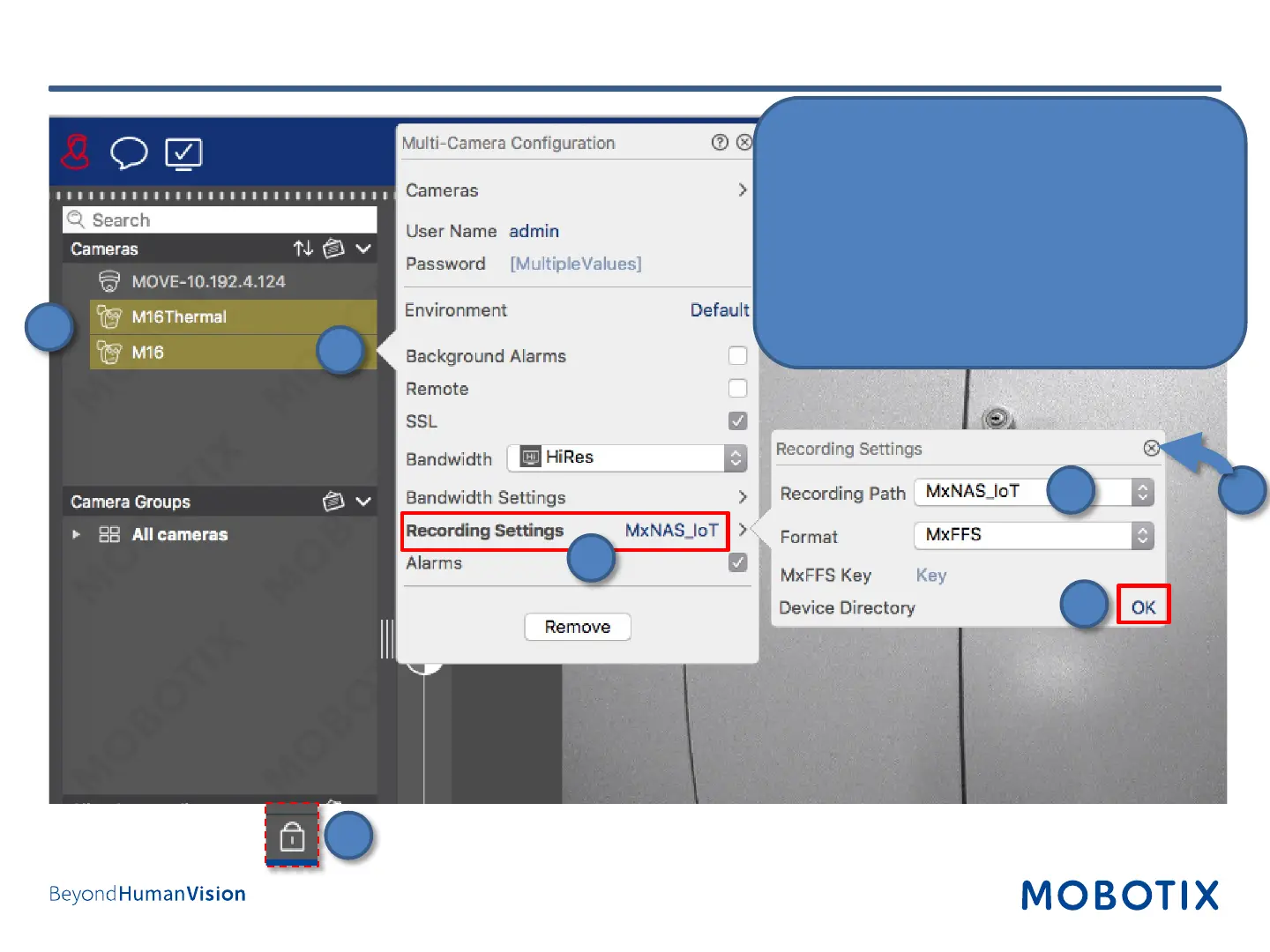
1. Select all cameras that will be using the same
share.
2. Right-click the cameras to open the
configuration dialog.
3. Click on Recording Settings.
4. Select the Recording Path.
5. Wait until Device Directory shows status OK.
6. Close the dialogs.
7. Click on the lock icon to close the edit mode.
Step 13: Assign Cameras to Share (2)
1
2
3
4
7
5
6


 To Next Page