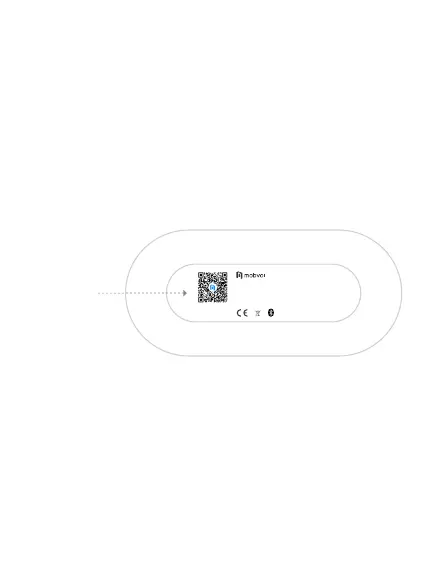
Scan QR code
at the bottom to
install Mobvoi
Scan code to
download APP
2. Can be used with Mobvoi APP
A: APP can display earphone battery and Bluetooth name;
B: APP settings: On and off function for nodding to answer the phone and
shaking the head to hang up the phone;
C: Install APP: search and download Mobvoi APP at app stores, and follow the
tips to register and log in; you can also scan the QR code at the bottom of the
charging box to download and install the app;
In addition, you can purchase your favorite products on TicStore on the app;
Mobvoi Earbuds Gesture Model: CXH-O
Earbud Input:5V==70mA
Charging case Input:5V==500mA 2.22Wh
Charging case Output:5V==140mA 2.22Wh
FCC ID: 2AWEG-CXHO IC ID: XXXXX-CXHO


 To Next Page