18 19
UI Combinations
FX
• Press FX1 / FX2 / FX3 switch repeatedly to change the FX type of the slot
• Hold FX1 / FX2 / FX3 switch to reset the FX type of the slot to ‘None’
• Turn the ‘B’ encoder into the negative range for the slot with a Delay FX assigned to
access synced delay times
• Press FX1 + FX2 + FX3 to jump to the ‘FX Preset Load’ parameter
Global Settings
• When the screen is displaying the ‘Reset’ option, press the ‘Edit’ switch and follow the
confirm instructions to reset all global settings to the factory default settings. Please note
that this will also reset the Main Volume and Tempo parameter values but your presets
will be unaffected
• Hold the ‘Patch’ button and turn the ‘Volume’ encoder to control the Patch Gain
parameter.
Screen Parameter List
• If a screen parameter is crossed out this means that it is ‘inactive’ (and can’t be controlled)
due to the value or state of other parameters or settings.
• If a screen parameter value is underlined to indicate the currently selected value, you will
need to use the Edit encoder switch to apply newly selected values.
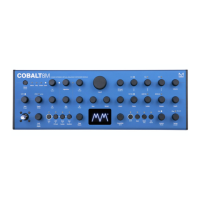
How to mount COBALT8M in a 19” rack
For users who would like to mount
their COBALT8M in a 19” rack, a pair of
rack mounting ears are provided in the
accessories box inside your COBALT8M
packaging.
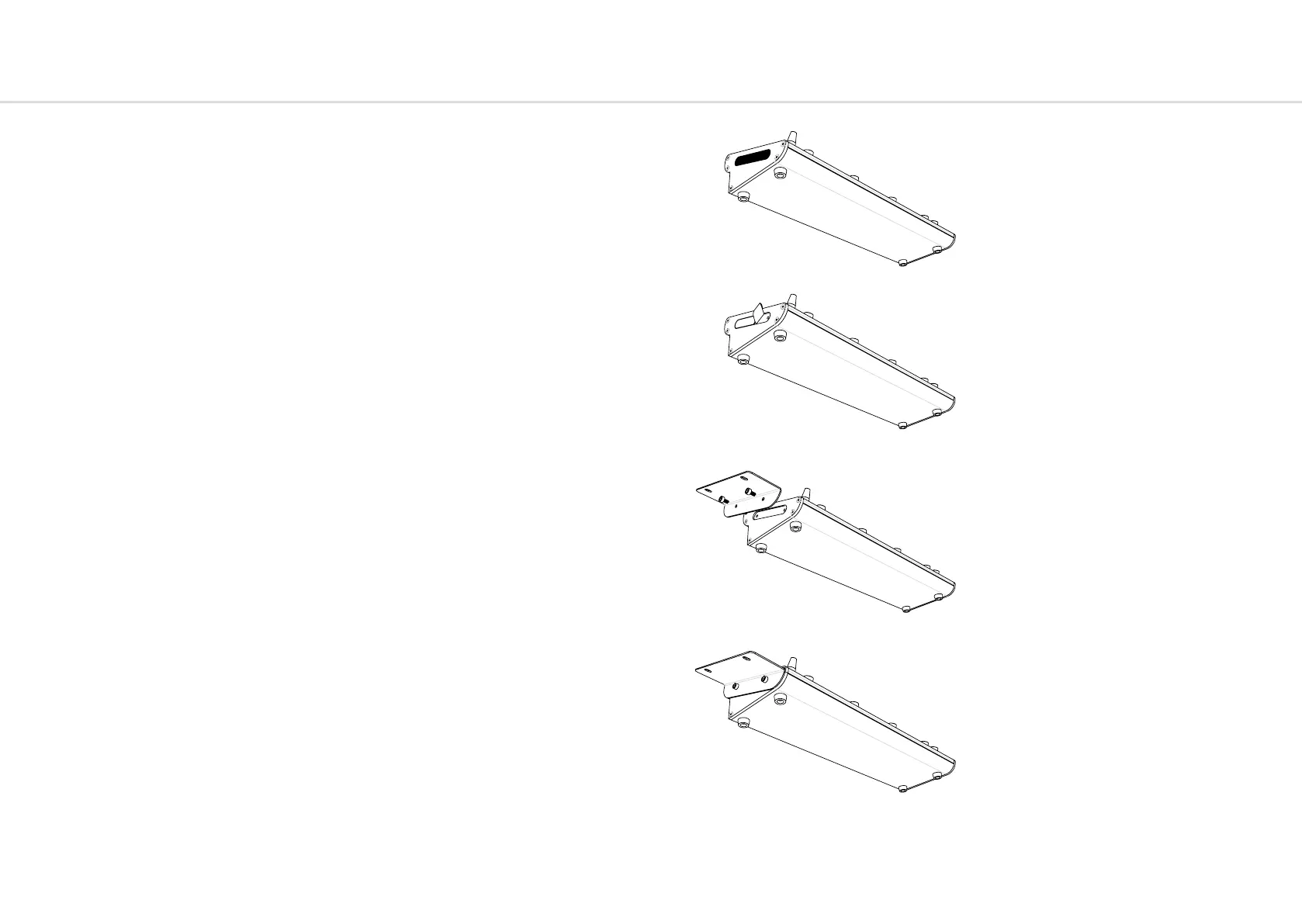
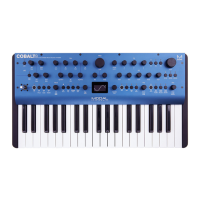
To install these, first grab a corner of the
textured rubber side panels fitted to your
COBALT8M and pull these back to remove
them from the unit. You may wish to retain
these for future use if the unit is removed
from rackmount use.
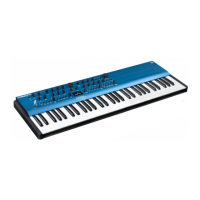
Removing the rubber side panels will
expose two screw holes, recessed into the
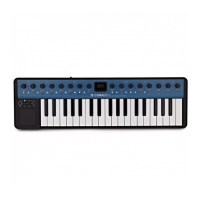
side of the COBALT8M. Take the provided
rack ear mounting screws and install
them into the smaller holes in the rack
ear, then align the ear with the side of the
COBALT8M and secure the screws.
Do not apply too much force when
tightening these screws as this may
damage the aluminium sides.
Please note, when installed in a 19” rack,
you will need to allow 1U of space above
the COBALT8M to allow the installation of
cables into the back / top of the unit


 To Next Page