Reservation Schedule Cleaning Settings
The current setting is 8:00 AM. The remote control setting value is 01:00. After the setting is
successful, your i3 robotic cleaner will start working after 1 hour. Your i3 robotic cleaner starts to work
at 9 o'clock and will start working at 9 o'clock everyday.
Note
Note
Cancel the schedule cleaning settings
1
Make sure your i3 robotic cleaner is in Standby or Charge state, and then long press the
“ " button on the remote control, the remote control to enter the schedule setting
mode;
2
At this point the remote control display appears flashing numbers, change the flashing number by
press up and down button, set a number by left and right buttons to move to the next number to
be set.
3
After setting the remote control at your i3 robotic cleaner, press the remote control “ " key,
the success of the reservation machine will display the corresponding appointment time.
Make sure your i3 robotic cleaner is in Standby or Charge state, and then long press the
“ ” button on the remote control, the remote control to enter the schedule setting
mode;press the “ ” button again.(If the wiring harness is 00:00, the reservation is canceled,
otherwise please press “ ” key once)
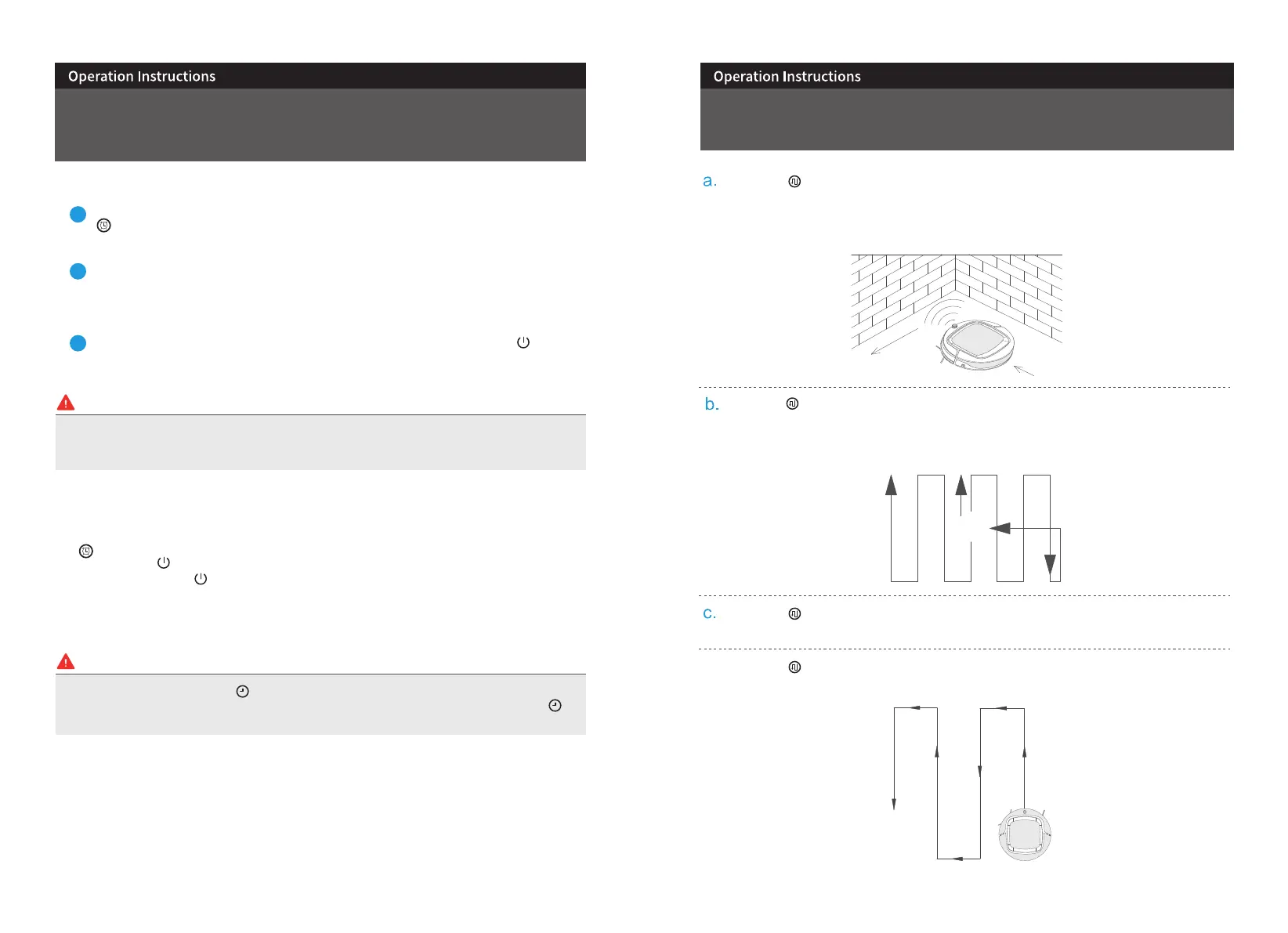
When press “ ”,the remote control displays “ 1 ”, your i3 robotic cleaner will enter to the edge cleaning,
ceaning along with the obsacle.
Start
End
Introduction Of The Cleaning Modes
When press “ ” the remote displays “ 2 ”, your i3 robotic cleaner will enter the zone cleaning, and start
cleaning in a specific areas within a scope of 2*2m.
When press “ ” the remote control display “ 3 ”, your i3 robotic cleaner will enter auto cleaning; robot
starts 2 meters cleaning and then turn a auto direction.
13 14
When press “ ” the remote control display “ 4 ”, your i3 robotic cleaner will enter Zigzag mode, in this
mode ,robot will clean in “ z ” way.
d.
Setting time, please long press " "button to set the time, press the left& right direction button to
switch the hours/minutes; and up/down direction button to change the hours/minutes; press " ”
to exit the time setting


 To Next Page
 Loading...