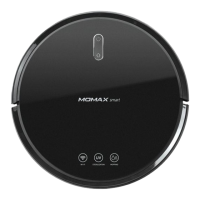
Need help?
Do you have a question about the Momax Mini-Cleanse and is the answer not in the manual?
Explains the Gyro navigation and FreeMove technology of the robot.
Lists essential preparations and precautions before operating the robot.
Covers initial setup steps: removing materials, connecting power, placing the base, and powering on.
Details charging indicators and how to install side brushes.
Guide to downloading the MOMAX Smart app from app stores.
Steps for registering an account and logging into the MOMAX Smart app.
Details functions available on the app's remote control page, like power, modes, and manual control.
Describes settings like suction power, seek robot, and timer within the app.
Explains how to integrate the robot into a smart home ecosystem.
Information on connecting and using voice assistants like Alexa and Google Assistant.
Identifies key parts of the robot, including top cover and sensors.
Explains the meaning of different LED indicator light states.
Details the components located on the bottom of the robot, like wheels and brushes.
Describes the parts and function of the charging dock.
Lists causes, prompts, and solutions for solid red alarm indicators.
Lists causes, prompts, and solutions for flashing red alarm indicators.
Describes different cleaning modes like Auto, Random, Wall Follow, and Spiral.
Step-by-step guide for cleaning and replacing side brushes.
Instructions for cleaning the robot's exterior, sensors, and charging contacts.
Provides solutions for issues where the robot fails to operate or recharge.
Addresses problems like abnormal behavior and unusual noises during operation.
Solutions for reduced cleaning ability or dust falling out.
Troubleshooting for Wi-Fi connection problems and unscheduled cleaning.
Lists technical specifications of the vacuum robot.
Lists technical specifications of the charging dock.
Lists essential safety warnings and precautions for using the robot.
Details the terms, conditions, and exclusions for product warranty service.
Fields for recording warranty details like model, date, and remarks.
Provides contact information for customer service in Hong Kong, Macau, and Mainland China.
 General
| UV-C Wavelength | 270-280 nm |
|---|---|
| Dustbin Capacity | 150 ml |
| Battery Capacity | 2000 mAh |
| Charging Time | 3 hours |
| Usage Time | 30 minutes |
| Filter Type | HEPA |
| Suction | 6000Pa |

 To Next Page