Need help?
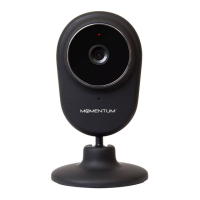
Do you have a question about the Momentum MOCAM1 and is the answer not in the manual?
Details initial setup steps before using the camera.
Instructions on downloading and installing the required mobile application.
Guides on connecting the camera to a power source for operation.
Guides users through creating an account and logging into the application.
Step-by-step instructions for connecting the camera using a QR code scan.
Instructions for connecting the camera using the AirLink Auto feature.
How to view the live video stream from the connected camera.
 General
| Field of View | 110 degrees |
|---|---|
| Two-Way Audio | Yes |
| Motion Detection | Yes |
| Night Vision | Yes |
| Storage | Cloud Storage |
| Connectivity | Wi-Fi (2.4GHz) |
| Resolution | 1080p |

 To Next Page