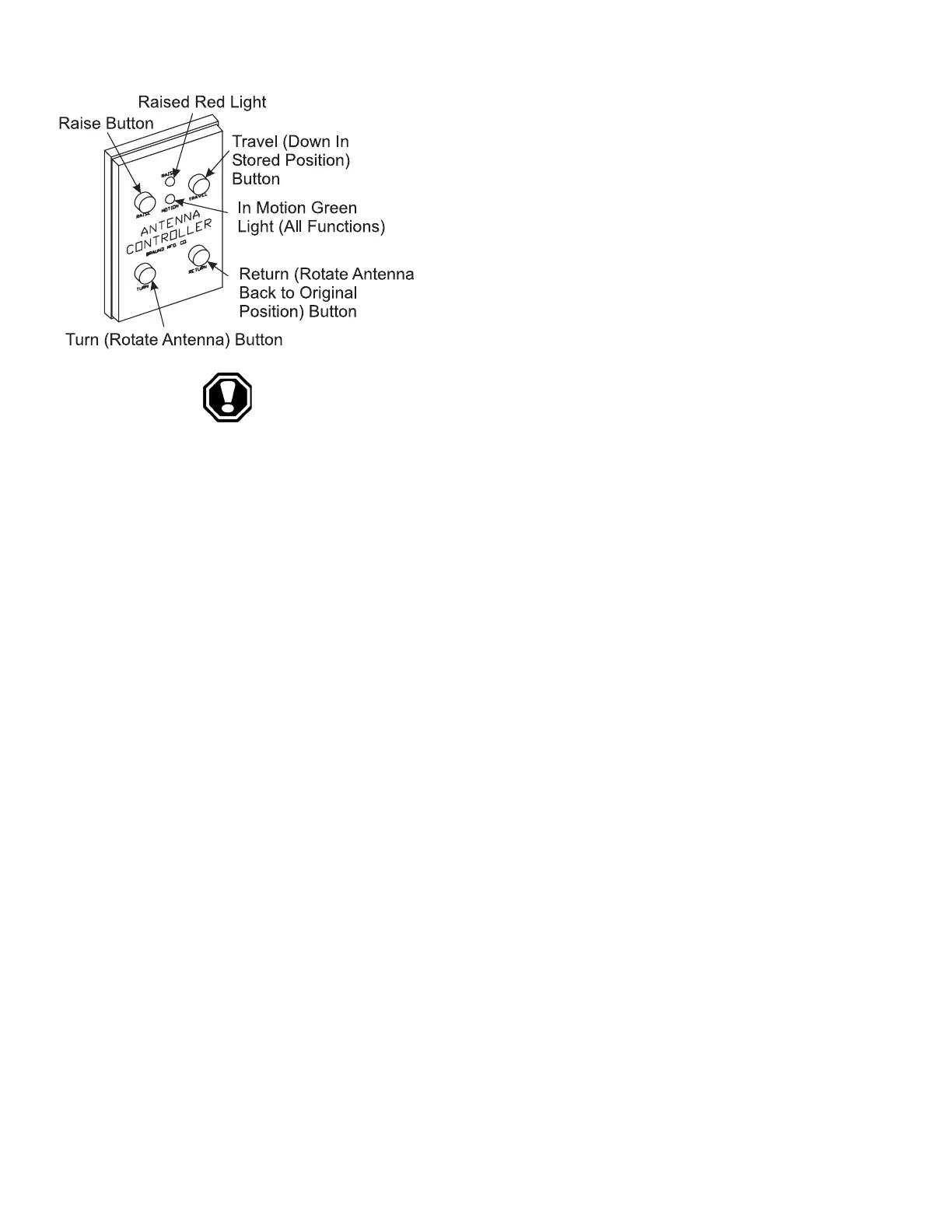
To Raise the Antenna:
Before raising the antenna, visually check for
clearance above the motorhome. To raise the antenna
press the RAISE button. The green light is ON when
the antenna is in motion. The red light is ON when the
antenna is raised.
WARNING: Do not raise the TV antenna near overhead electrical
wires as contact may cause serious injury or death. Do not move the
motorhome when the TV antenna is up. There is a ANT UP warning
light on the dash panel. When this light is lit, lower the antenna
before moving the motorhome.
To Rotate the Antenna:
Press the TURN button to rotate the antenna for improved reception. Press
the RETURN button to rotate the antenna to the original position for further
adjustment. The green light is ON when the antenna is in motion.
To Lower the Antenna:
Press the TRAVEL button to lower the antenna into the stored position for
travel. The green light is ON when the antenna is in motion. Do not move the
motorhome until the antenna is all the way down.
--------------------------------------------------------------------------------------------------------------------------------------------------------------------------------------------------------------------------------
The motorhome is equipped with a video selector box located just above the
VCR. The selector box receives video and audio signals from three different
sources: the roof mounted antenna, shore cable (auxiliary), or the VCR. The
video selector box directs the signals to either the front or rear TV, and directs
the signal from shore cable, or the roof mounted antenna, to the VCR. The
selector box switches are divided into three groups: TV1 (front TV), TV2 (rear
TV), and the VCR. Both the TV1 and TV2 button groups perform the same
functions. Example: To watch the front TV (TV1) from the antenna, depress the
ANT button in the TV1 group. This will direct the signal from the antenna to
the front TV.
To Watch the front TV:
1. Using the antenna, depress the ANT button in the the TV1 group.
2. Using the shore cable, depress the AUXILIARY button in the TV1 group.
3. Using the VCR, turn the TV to channel 3 and depress the VCR button in
the TV1 group.
Appliance & Equipment
---------------------------------------------------------------------------------------------------------------------------------------------------------------------------------------------------------------------------------------------------------------------------------------------------------------------
EXECUTIVE
3•85
Video Selector
Box





 To Next Page