This document provides technical instructions and operating procedures for various Mondia automatic watches, featuring different ETA movements. The manual covers several models, including automatic, automatic chronograph, automatic GMT, automatic chronograph GMT, and automatic chronograph complete calendar watches. It also includes a section on water resistance.
Automatic Watch (ETA-2824/SELLITA SW200)
- Function Description: This is a standard automatic watch with date display.
- Usage Features:
- Crown Positions: The crown has three positions:
- Neutral Position: This is the watch's operating position.
- First Click (Pulled out once): Used to adjust the date by turning the crown clockwise.
- Second Click (Pulled out twice): Used to adjust the time (hour and minute hands) by turning the crown clockwise or counter-clockwise.
- Maintenance Features (Warning):
- Unscrew the crown and buttons if the model features screw-down crown and buttons.
- Always remember to tighten the crown and buttons after use.
- Never perform these operations when the watch is wet or immersed in water to ensure waterproofness.
Automatic Chronograph Watch (ETA-7750)
- Function Description: This is an automatic chronograph watch with hour, minute, and second hands, a 30-minute counter, a 12-hour counter, and a date display. It supports simple chronograph timing and split-time readings.
- Usage Features:
- Crown Positions: The crown has three positions:
- Neutral Position: This is the watch's operating position and the winding position (automatic winding by wrist movement).
- First Click (Pulled out once): Used for quick date adjustment by turning the crown clockwise (date adjustment is not possible between 8 PM and 2 AM) and quick day adjustment by turning the crown counter-clockwise.
- Second Click (Pulled out twice): Used for precise time setting. It is recommended to go past the desired minute and then turn the hand back into the exact position.
- Chronograph Operation (Simple Chronograph Function):
- Start/Stop (Button A): Press button A to start the chronograph. Press button A again to stop it and read the elapsed time.
- Reset (Button B): After stopping, press button B to reset the chronograph hands to zero.
- Chronograph Operation (Split Time Function):
- Start (Button A): Press button A to start the chronograph.
- Split Time (Button B): Press button B to read an intermediate (split) time. The chronograph hands will stop, but the timing continues internally.
- Resume (Button B): Press button B again to resume the chronograph, and the hands will instantly catch up to the ongoing time.
- Stop (Button A): Press button A to stop the chronograph.
- Reset (Button B): Press button B to reset the chronograph hands to zero.
- Maintenance Features (Warning):
- Before any chronograph operation, the hands must be reset to zero using button B.
- Unscrew the crown and buttons if the model features screw-down crown and buttons.
- Always remember to tighten the crown and buttons after use.
- Never perform these operations when the watch is wet or immersed in water to ensure waterproofness.
Automatic GMT Watch (ETA-2893)
- Function Description: This is an automatic watch with hour, minute, and second hands, a date display, and a GMT (Greenwich Mean Time) function with a 24-hour hand.
- Usage Features:
- Crown Positions: The crown has three positions:
- Neutral Position: This is the watch's operating position and the winding position (automatic winding by wrist movement).
- First Click (Pulled out once): Used for quick date adjustment by turning the crown counter-clockwise (date adjustment is not possible between 8 PM and 2 AM) and GMT hour adjustment by turning the crown clockwise.
- Second Click (Pulled out twice): Used for precise time setting. It is recommended to go past the desired minute and then turn the hand back into the exact position.
- GMT Function:
- Align the 24-hour GMT indicator hand to the correct time for the desired location, indicated on the 24-hour bezel.
- The local time will be indicated by the hour hand and by the 12-hour indications on the dial.
- The GMT time will be indicated by the 24-hour hand and by the 24-hour indications on the 24-hour bezel.
- Maintenance Features (Warning):
- Unscrew the crown and buttons if the model features screw-down crown and buttons.
- Always remember to tighten the crown and buttons after use.
- Never perform these operations when the watch is wet or immersed in water to ensure waterproofness.
Automatic Chronograph GMT Watch (ETA-7754)
- Function Description: This watch combines the features of an automatic chronograph with a GMT function. It includes hour, minute, and second hands, a 30-minute counter, a 12-hour counter, a date display, and a 24-hour GMT hand. It supports simple chronograph timing and split-time readings.
- Usage Features:
- Crown Positions: The crown has three positions:
- Neutral Position: This is the watch's operating position and the winding position (automatic winding by wrist movement).
- First Click (Pulled out once): Used for quick date adjustment by turning the crown clockwise (date adjustment is not possible between 8 PM and 2 AM) and GMT hour adjustment by turning the crown counter-clockwise.
- Second Click (Pulled out twice): Used for precise time setting. It is recommended to go past the desired minute and then turn the hand back into the exact position.
- Chronograph Operation (Simple Chronograph Function):
- Start/Stop (Button A): Press button A to start the chronograph. Press button A again to stop it and read the elapsed time.
- Reset (Button B): After stopping, press button B to reset the chronograph hands to zero.
- Chronograph Operation (Split Time Function):
- Start (Button A): Press button A to start the chronograph.
- Split Time (Button B): Press button B to read an intermediate (split) time. The chronograph hands will stop, but the timing continues internally.
- Resume (Button B): Press button B again to resume the chronograph, and the hands will instantly catch up to the ongoing time.
- Stop (Button A): Press button A to stop the chronograph.
- Reset (Button B): Press button B to reset the chronograph hands to zero.
- GMT Function:
- Adjust the 24-hour GMT indicator hand to the correct time for the desired location, indicated on the 24-hour ring.
- The local time will be indicated by the hour hand and by the 12-hour indications on the dial.
- The GMT time will be indicated by the 24-hour hand and by the 24-hour indications on the 24-hour ring.
- Maintenance Features (Warning):
- Before any chronograph operation, the hands must be reset to zero using button B.
- Unscrew the crown and buttons if the model features screw-down crown and buttons.
- Always remember to tighten the crown and buttons after use.
- Never perform these operations when the watch is wet or immersed in water to ensure waterproofness.
Automatic Chronograph Complete Calendar Watch (ETA-7751)
- Function Description: This is a sophisticated automatic chronograph watch with a complete calendar function, including day, date, month, and moon phase indicators, in addition to hour, minute, and second hands, a 30-minute counter, and a 12-hour counter. It supports simple chronograph timing and split-time readings.
- Usage Features:
- Crown Positions: The crown has three positions:
- Neutral Position: This is the watch's operating position and the winding position (automatic winding by wrist movement).
- First Click (Pulled out once): Used for quick date and month adjustment by turning the crown counter-clockwise (date adjustment is not possible between 8 PM and 2 AM). Also used for moon phase adjustment by turning the crown clockwise (moon phase adjustment is not possible between 3 AM and 5 AM).
- Second Click (Pulled out twice): Used for precise time setting. It is recommended to go past the desired minute and then turn the hand back into the exact position.
- Quick Day Adjustment (Button C): Press button C to quickly adjust the day (day adjustment is not possible between 8 PM and 2 AM).
- Chronograph Operation (Simple Chronograph Function):
- Start/Stop (Button A): Press button A to start the chronograph. Press button A again to stop it and read the elapsed time.
- Reset (Button B): After stopping, press button B to reset the chronograph hands to zero.
- Chronograph Operation (Split Time Function):
- Start (Button A): Press button A to start the chronograph.
- Split Time (Button B): Press button B to read an intermediate (split) time. The chronograph hands will stop, but the timing continues internally.
- Resume (Button B): Press button B again to resume the chronograph, and the hands will instantly catch up to the ongoing time.
- Stop (Button A): Press button A to stop the chronograph.
- Reset (Button B): Press button B to reset the chronograph hands to zero.
- Maintenance Features (Warning):
- Before any chronograph operation, the hands must be reset to zero using button B.
- Unscrew the crown and buttons if the model features screw-down crown and buttons.
- Always remember to tighten the crown and buttons after use.
- Never perform these operations when the watch is wet or immersed in water to ensure waterproofness.
Water Resistance
- Technical Specifications: The manual categorizes water resistance levels:
- Water Resistant: Basic resistance.
- 5 ATM: Suitable for light spray, perspiration, light rain. Not suitable for swimming or diving.
- 10 ATM: Suitable for light spray, perspiration, light rain, swimming, and showering. Not suitable for diving (with or without oxygen cylinder).
- 20 ATM +: Suitable for light spray, perspiration, light rain, swimming, showering, and diving (with or without oxygen cylinder).
- Usage Features:
- Light Spray, Perspiration, Light Rain: OK for all resistance levels (Water Resistant, 5 ATM, 10 ATM, 20 ATM+).
- Swimming, Showering: NO for Water Resistant and 5 ATM. OK for 10 ATM and 20 ATM+.
- Diving (without oxygen cylinder): NO for Water Resistant, 5 ATM, and 10 ATM. OK for 20 ATM+.
- Scuba Diving (with oxygen cylinder): NO for Water Resistant, 5 ATM, and 10 ATM. OK for 20 ATM+.
- Maintenance Features (Warning):
- Never pull out the crown or operate buttons when the watch is wet or immersed in water, regardless of the water resistance level.
- Unscrew the crown and buttons if the model features screw-down crown and buttons.
- Always remember to tighten the crown and buttons after use.
- Never perform these operations when the watch is wet or in water in order to guarantee waterproofness.
General Warning for all models:
For models equipped with screw-down crowns and pushers, always ensure they are unscrewed before making adjustments and securely screwed back in after use to maintain water resistance. Never attempt to adjust the watch or operate pushers when it is wet or submerged in water.

 Need help?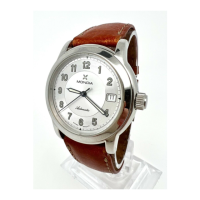

 To Next Page
 General