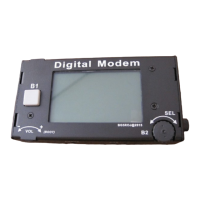
has a “test” mode, use it for this.
• Adjust the LIN setting via ENC3 for a reading on the AUDio meter of +2 to +4.
• Make sure that you have set “CMP” to 0 as noted above!
• Un-key the transceiver.
• Make a note of the settings that you have used for future reference.
• Find a signal on the bands representative of the mode and adjust the audio input level of the external device
for approximately “mid-scale”. The Line Output level on the mcHF on this version of firmware is fixed.
• It should be noted the the LINE OUT jack will contain the transmit audio. This is an artifact of the hardware
configuration.
• Once you have configured the settings to your satisfaction, press-and-hold button F1 to store them in
memory.
TUNE mode:
The TUNE button may be used to send an unmodulated (CW) carrier for brief testing, such as checking the RF power
output or the VSWR/matching. The TUNE function is also used for initial adjustment of various parameters (TX
Gain, Phase) as described elsewhere in detail.
The operation of the TUNE mode is very simple:
• Press the TUNE button: The mcHF transmits and the indicator turns red.
• Press the TUNE button again: The mcHF stops transmitting and the indicator turns white.
• Pressing-and-holding the TUNE button will disable/enable transmit: The on-screen “TUNE” indicator will
turn grey when transmit is disabled. This is the same function as the “Transmit Disable” menu item.
Comments about the TUNE mode:
• When set to CW mode, when TUNE is activated the mcHF will produce a carrier above the dial frequency by
the amount of the setting of the “CW Side/Off Freq” (e.g. sidetone frequency).
• When set to SSB mode, when TUNE is activated the mcHF will produce a carrier that is offset from the dial
frequency by 750 Hz – the same as the audible sidetone. This carrier will be below the dial frequency in LSB
mode and above it in USB mode.
• Note: There will be no tone in SSB-TUNE mode when frequency translation is active.
• Pressing-and-holding the TUNE button will toggle the TRANSMIT DISABLE function. If this mode is on,
the TUNE indicator will turn grey and all transmit capabilities of the mcHF will be disabled. This is the
same as the parameter “Transmit Disable” in the configuration menu.
• TUNE mode does not function in AM mode.
Additional information:
• Refer to the main manual for additional information about the “Freq. Calibrate” menu item which is used to
calibrate the frequency display of the radio so that it reads accurately!
Configuration of the mcHF for CW operation:
• Connect a key or paddle to jack J2 on the RF board: This is the connector next to the DC power input.
For connecting a paddle for Iambic keying:
• The TIP of the connector is DIT.


 To Next Page
 Loading...