5
PICTURE
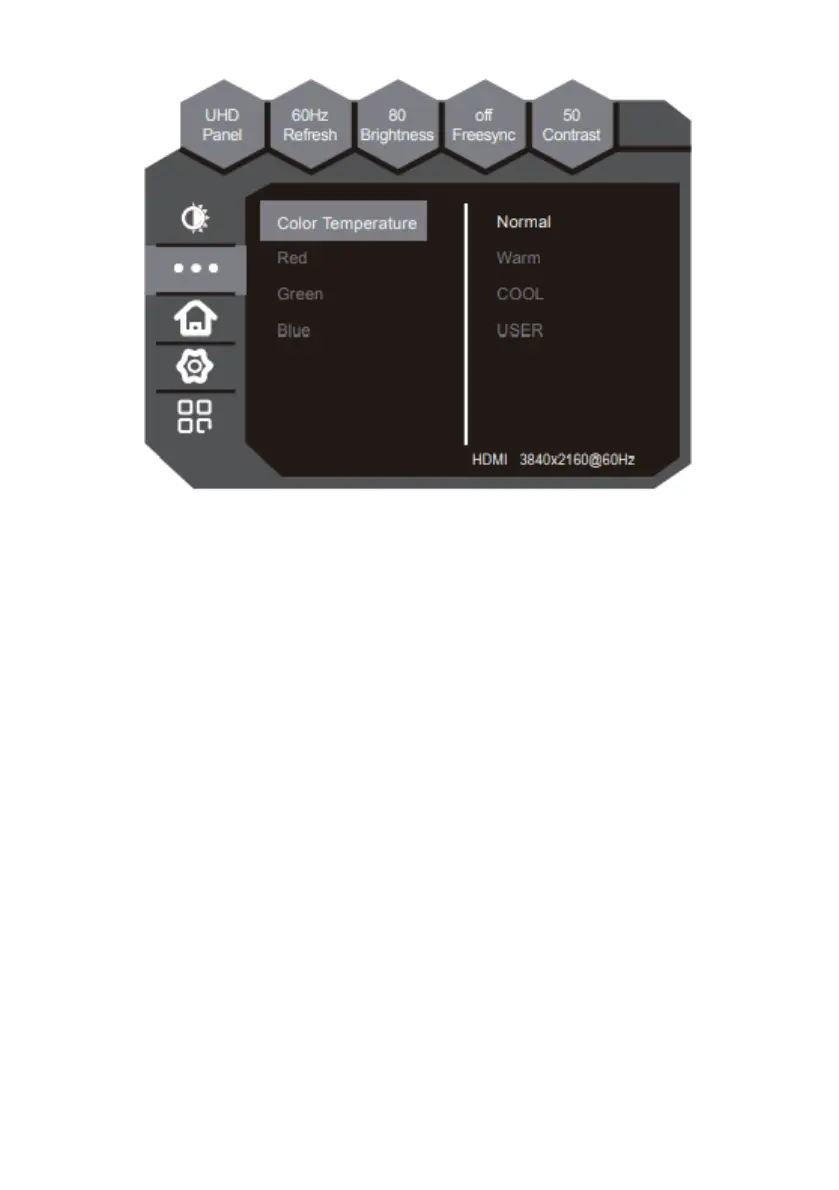
The function adjusts the color temperature.
1. Color Temperature - This option adjusts the intensity of the color.
a. Normal - Normal color temperature.
b. Warm - Warm color temperature.
c. COOL - Cool color temperature.
d. USER - This color temperature is for users who would like to adjust the
RGB (red, green, blue) values manually.
2. Red - Adjusts the red in color temperature.
3. Green - Adjusts the green in color temperature.
4. Blue - Adjusts the blue in color temperature.


 To Next Page