LEARNING: SETTING UP YOUR EVOLUTION 50/55 TO LEARN ADDITIONAL
BUTTON COMMANDS
Onceyou’vesetupaTV,yourEVOLUTION50/55SimpleAdvancedRemoteControlautomaticallysets
its
,andnumerickeypadbuttonstoworkwithyourTV.
Likewise,theremaybeotherbuttonsyou’dliketomapfromyourTVremotetoyourEVOLUTION50/55.
Thisexampleshowshowtomapthe
buttonsoyoucancontroltheaspectratioofyourTVscreen
usingtheEVOLUTION50/55.
OnyourEVOLUTION50/55,press 1.
and hold the and
buttons
togetherfor3seconds.The
buttonwilllightup,blinkonce,and
staylit.ThisindicatestheEVOLUTION
50/55isinIRLearningmode.
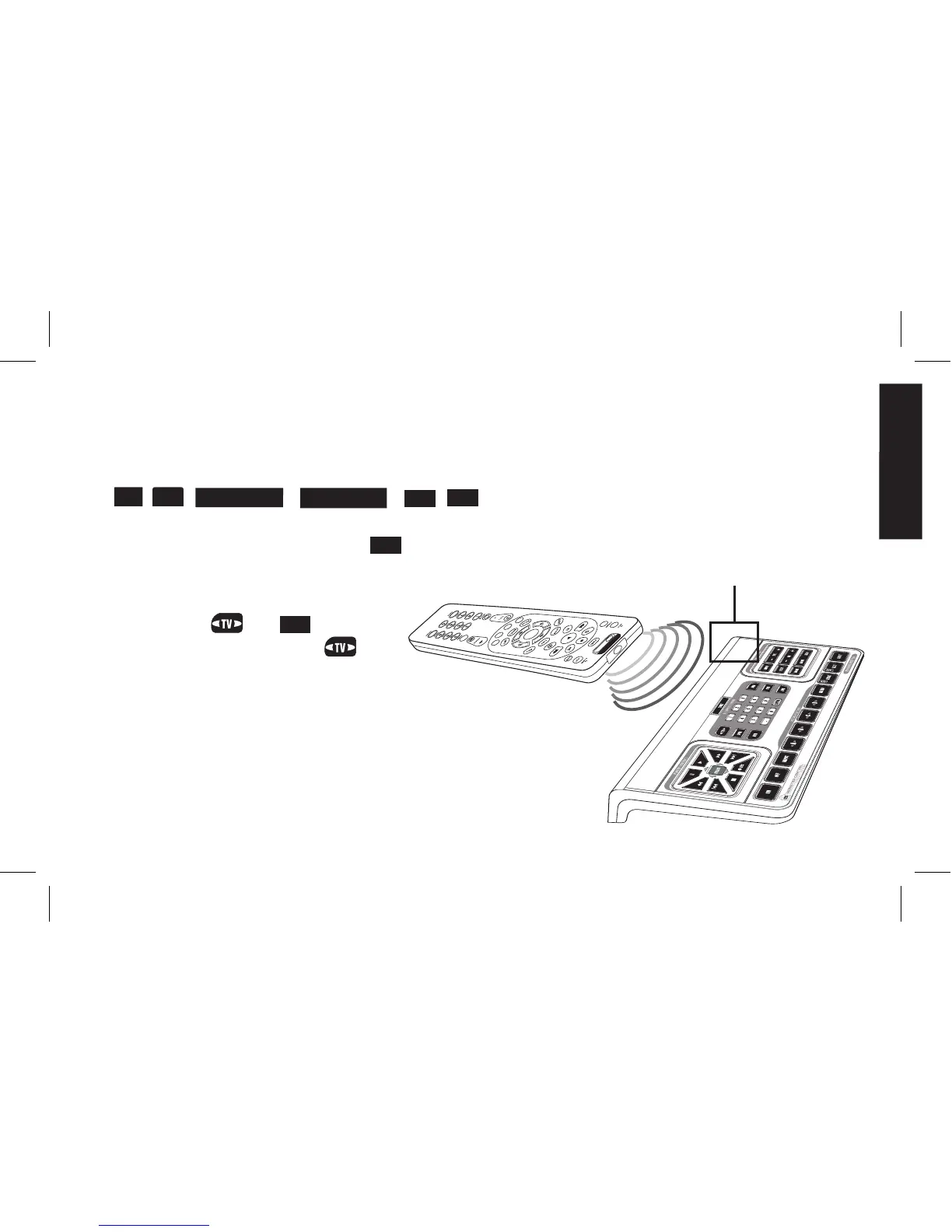
Hold your TV remote and EVOLUTION 2.
50/55 Simple Advanced Remote Control
headtohead,3to5inchesapart.
IR Sensor
QuickStart_Evolution50_55_2ndGen_EFS_AR1mm.indd 9 4/13/10 12:13:56 PM


 To Next Page