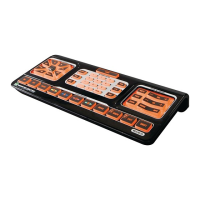
PRIMEROS PASOS CONFIGURACIÓN BÁSICA DEL TELEVISOR
EstaguíadelusuariolemuestracomoconfigurarelEVOLUTION50/55paraoperarsutelevisor.
Primero,busqueelcódigode3dígitoscorrespondienteasutelevisorenlaListadecódigosde
componentesalfinaldeestemanual.Observequealgunosfabricantestienenmásdeuncódigo,
ypodríasernecesarioquepruebeconvarios.
Sinopuedeencontrarelcódigo,puedeprobarloscódigosunotrasotrosegúnlodescritoenla
página125,enelaparteBúsquedas: configuración del Evolution 50/55 para operar su televisor
si no dispone del código.
USO DE LOS CÓDIGOS PREPROGRAMADOS: CONFIGURACIÓN DEL EVOLUTION 50/55
PARA OPERAR SU TELEVISOR SI CUENTA CON EL CÓDIGO (MÉTODO PREFERIDO)
Paraesteejemplo,supongamosqueelcódigodesutelevisores“209”.
Enciendaeltelevisor.ApunteelEVOLUTION50/55haciaeltelevisor.1.
Mantengapresionadoelbotón2. durante3segundos.Elbotón seencenderá,parpadeará
unavezypermaneceráencendido.
EsoindicaqueelEVOLUTION50/55seencuentraenelmododeconfiguración.3.


 To Next Page
 Loading...