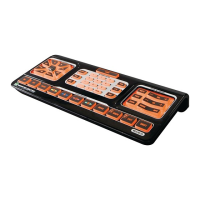
Inthisexample,wemapthethumbsticktonavigatedownwardsonaBlu-rayDisc
™
player menu:
OnyourEVOLUTION50/55,pressandholdthe1.
buttonandtheTHUMBSTICKinthe position
togetherfor3seconds.The
buttonwilllightup,blinkonce,andstaylit.Thisindicatesthe
EVOLUTION50/55isinIRLearningmode.
PlaceyourBlu-rayplayerremoteandtheEVOLUTION50/55SimpleAdvancedRemoteControl2.
headtohead,3to5inchesapart.
PresstheDownArrowbuttonontheBlu-rayplayerremote.ToacknowledgethisDownArrow3.
command,yourEVOLUTION50/55
buttonwillflash3timesfastandturnoff.Ifno
commandwasreceived,the
buttononyourEVOLUTION50/55willstaylitfor20secondsor
until you press the
buttononemoretimetocancelthislearningsequence.
To confirm the EVOLUTION 50/55 can send 4. commandstoyourBlu-rayplayer,pressanybutton
onyourBlu-rayplayerremotethatwilldisplayaverticalmenuofchoices.OnyourEVOLUTION
50/55,movethethumbstickintothe positiononetime.Iftheactivemenuselectionmoved
downbyone,you’redone.IfyourBlu-rayplayerdidnotrespond,repeatsteps1through4.
Tomapadditionaldirectionstothethumbstick,repeatsteps1to4andchangethedirectionasneeded.
QuickStart_Evolution50_55_2ndGen_EFS_AR1mm.indd 11 4/13/10 12:13:58 PM


 To Next Page
 Loading...