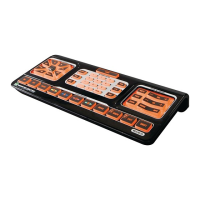
DEFAULT BACKLIGHT COLOR SETTINGS
The EVOLUTION50backlightdisplaysinamberonlyforallmodes.
TheEVOLUTION55backlightdisplaysinbluewhenitisoperatingin or
mode(STB
standsfor“settopbox”andreferstoyoursatelliteorcablebox).TheEVOLUTION55backlight
displaysinamberwhenitisoperatinginanyofthefollowingmodes:
(Audio/Video
Receiver),
.
FOR EVOLUTION 55 ONLY: ASSIGNING BACKLIGHT COLOR SETTINGS
Toassignadifferentcolortoanoperatingmode,followtheinstructionsbelow.Inthisexample,the
operatingmodeisTV(thesamestepsapplyfor
)andweassumeyou
arestartingoutwiththeoriginalfactorysettings:
Pressandholdtogetherthe1. buttonand
buttonfor3seconds.
Asyoubeginpressingbothbuttons,thebluelightimmediatelydisplays.2.
After3seconds,thecolorofthelightchangestoamber.3.
NowTVmodeisindicatedbyanamberlight.Theotherdefaultbluelightsetting,
,remainsblue
untilyouassignittoamber.Allothermodesremainbacklitbyamberuntilyouchangetheirassignments.
QuickStart_Evolution50_55_2ndGen_EFS_AR1mm.indd 19 4/13/10 12:14:04 PM


 To Next Page
 Loading...