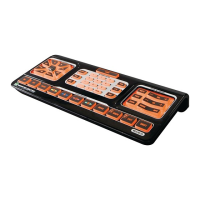
SurvotreconsoledetélécommandesEVOLUTION50/55SimpleAdvanced,appuyezsurlatouche2.
etmaintenez-laenfoncéependant3secondes.Latouches’allumera.Elleclignoteraunefois,
puisdemeureraallumée.C’estlesignalquevotreEVOLUTION50/55estenmodedeconfiguration.
Appuyez sur la touche 3. puisrelâchez-la.Latouche
clignoteraunefois,puisdemeurera
allumée.C’estlesignalquevotreEVOLUTION50/55estenmodedeconfigurationAUX.
Àl’aideduclaviernumérique,saisissezlecode«209».Àmesurequevousappuyezsurchaquetouche,4.
salumièredelatouche
clignoteunefoispourconfirmerchacundeschiffressaisis.
VotreEVOLUTION50/55envoieautomatiquementunsignald’arrêt(OFF)àvotretéléviseur. 5.
Sicelui-cireconnaîtlecode,ilsemettrahorstension.
S’ilnesemetpashorstension,répétezlesétapes4à6avecunautrecodeàtroischiffres.Une6.
foisletéléviseurmishorstension,passezàl’étape7.
PourconfirmercecodedanslesystèmedevotreEVOLUTION50/55,appuyezsurlatouche7.
unenouvellefois.Lalumièredelatouche
clignoteratroisfoispuiss’éteindra.Votre
EVOLUTION50/55sortiradumodedeconfiguration.Voilàtout.
QuickStart_Evolution50_55_2ndGen_EFS_AR1mm.indd 67 4/13/10 12:14:14 PM


 To Next Page
 Loading...