Care and Storage
•Whennotinuse,alwaysstoreyourButteryintheprotectivecaseprovided.
Keep the case closed, and store in a clean, dry environment.
•Avoidexposuretoliquids,temperatureextremesandhighhumidity.
•DonotstoreotheritemsinthecasewithyourButtery,asthismayresult
in damage or contamination.
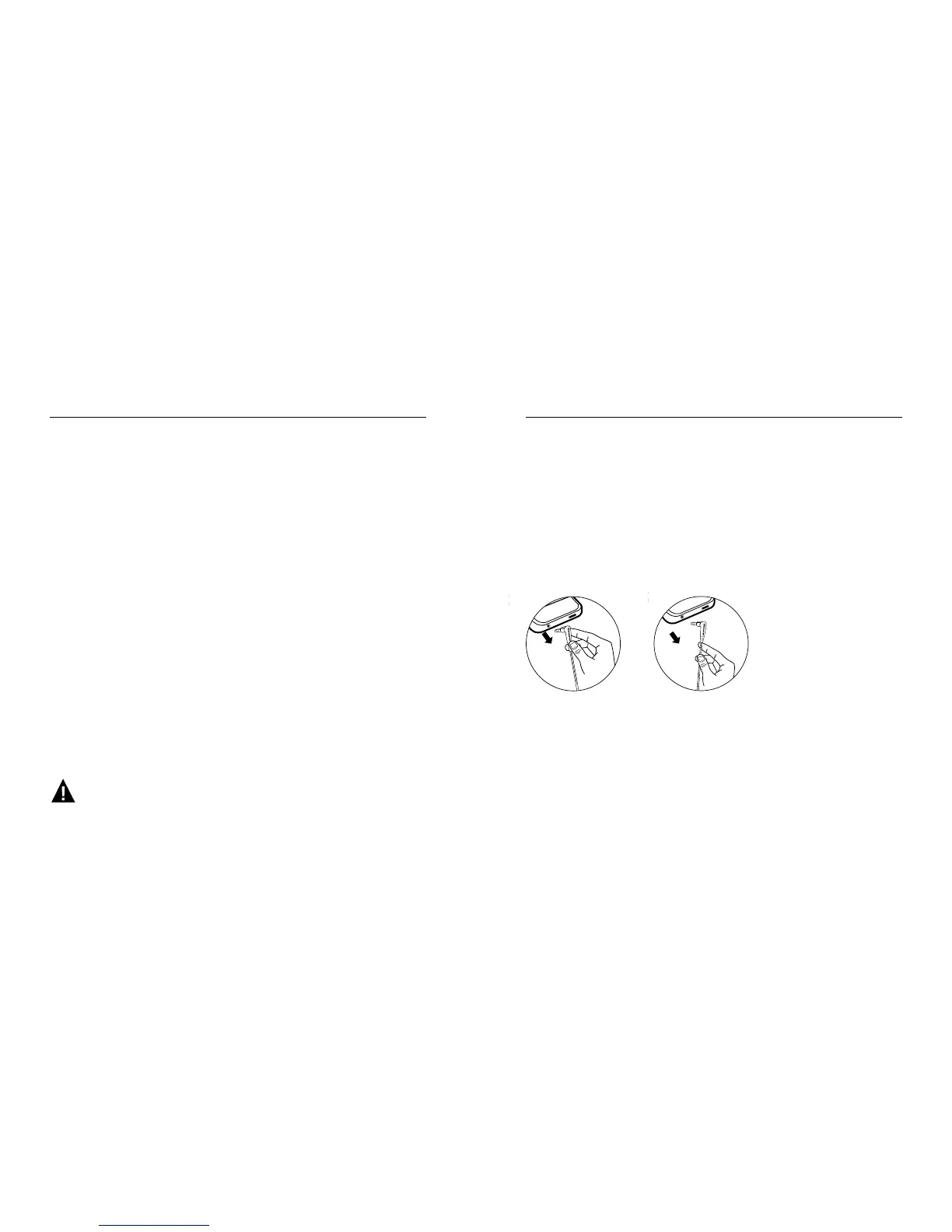
•NeverpullonthecabletodisconnectButteryfromyourmusicplayer.
Instead, grasp the plug at the end of the cable and pull to disconnect.
Buttery “Break-in”
Break in time for headphones? We're kidding, right? No we're not. Like any high
performance product, whether it's cars or headphones, they're mechanical devices
that settle in after use. Your new In-Ear Speakers
™
will sound incredible out of the box,
but will “mellow” out after use and sound even better. We recommend playing them
for 8 hours. After 20 hours of playing, they should be fully broken in. Enjoy.
No
Yes
Using ControlTalk
™
Answer or end a call: Press and release the center button once to answer.
Repeat to end the call.
Decline an incoming call: Press and hold the center button for two seconds, then release.
There will be two beeps when you let go to indicate successful operation.
Using call waiting: To switch to an incoming call and put an in-progress call on hold,
press and release the center button. Repeat to switch back to the previous call
and put the newer call on hold. To switch to an incoming call and end an in-progress
call, press and hold the center button for two seconds. You will hear two low beeps
when you let go to indicate successful operation.
Play or pause a song or video: Press and release the center button. Repeat to resume.
Skip to the next or previous song or chapter: Press and release the center button twice
quickly to skip forward. Press and release three times quickly to skip back.
Scan forward or backward through a song or video: In quick succession, press and release,
then press and hold the center button to scan forward. In quick succession, press and release
twice, then press and hold the center button to scan backward. Release when you want
to stop scanning.
Control volume: Press the ( ) button to increase volume.
Press the ( ) button to decrease volume.
Functionality will vary by device.
>
>









 To Next Page