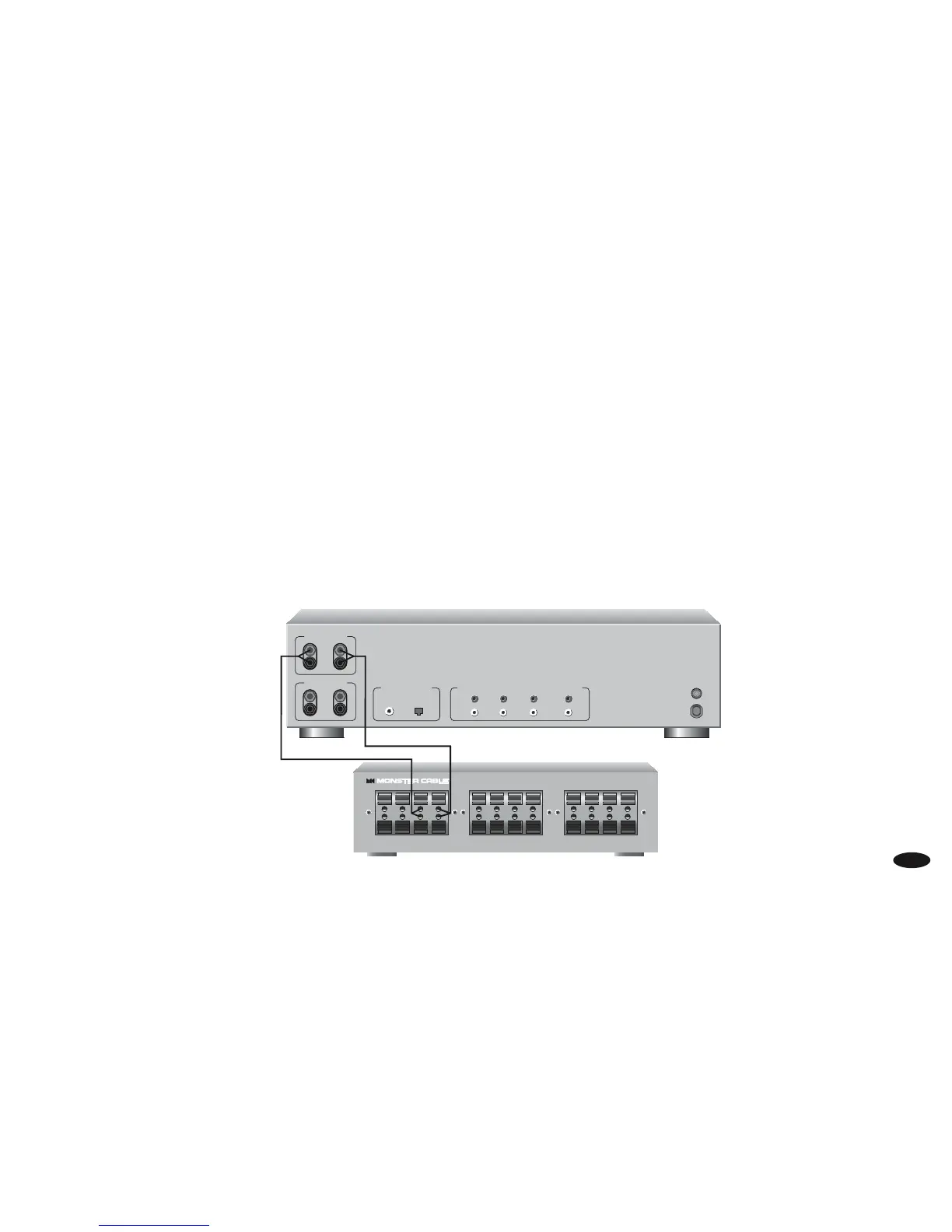
A) Before you do anything, turn off power to all components in the signal path, including your amplifier
and Monster Multi-Speaker Selector.
B) Using speaker cable, hook up the “Left” channel (red for “+” and black for “-”) from the Speaker Output terminals
found on the back of your amplifier to the matching Amplifier Input terminals on the back of the Monster
Multi-Speaker Selector.
C) Using speaker cable, hook up the “Right” channel (red for “+” and black for “-”) from the Speaker Output
terminals found on the back of your amplifier to the matching Amplifier Input terminals on the back
of the Monster Multi-Speaker Selector.


 To Next Page