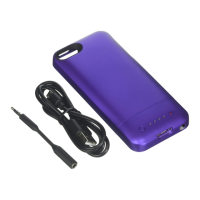
Compatibility
The juice pack helium was designed and intended solely
for the Apple iPhone 5. Please do not attempt to use the
product with any other device.
Important
The juice pack comes charged and ready to go, but after
the initial use, normal charging will take only 2 to 3 hours
for maximum power. You can charge it by itself or while the
iPhone is inserted.
Charging your juice pack
Connect the included micro USB cable to the bottom of your
juice pack. The USB cable can be plugged in to your
computer or any power source with a USB out, like the
standard USB wall adaptor included with your phone. The
LEDs located on the back of the device will blink for 30
seconds to indicate the juice pack has begun charging.
When the LEDs stop blinking, it does not mean the case has
stopped charging. You can check the charging status by
pushing the status button next to the LED lights; the juice
pack is fully charged when all four LEDs light up.
Charging your iPhone 5 using the juice pack
If your iPhone is drained of power or if you want to extend
the battery life of your phone, slide the iPhone into the juice
pack. Make sure that the connector is securely inserted into
the bottom of the iPhone and the standby switch is turned
"On,” or from red to green. When your phone recognizes the
juice pack, a battery symbol will appear on the screen and
you will hear a chirp from the iPhone. This indicates that the
phone is charging and/or using the power from the juice
pack rather than from the phone itself.
If your iPhone is drained of power, the juice pack will
immediately begin charging your phone when ipping
from standby to charging mode. If your iPhone is fully
charged, the juice pack will act as your primary battery and
no power will be lost from the iPhone internal battery until
the juice pack is depleted.
Checking the status of the juice pack
To check the battery status of the juice pack, press the
status button located on the back of the device. When
pressed, the LED lights will illuminate for several seconds.
Four LEDs means that the juice pack is fully charged. One
LED means that it is almost empty. Know before you go.


 To Next Page
 Loading...