Register online for your 5 year guarantee. See the back of this
leaflet.
For replacement, parts, help with using your Morphy Richards product, problems
and lots more, contact us by phone or through the website.
OPERATING INSTRUCTIONS SAFETY INFORMATION
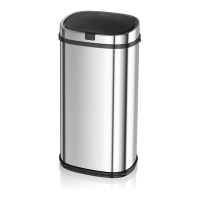
1 . Clean the lid of the bin with a damp cloth. DO NOT IMMERSE IN WATER.
1 . Open the cover of the battery case
at the bottom of the dustbin and2. Do not press on the lid when it is opening. If this happens, press the 'close' insert 4xAA
batteries.button to make the bin function correctly.
3. Don't manually open the lid as it may damage it.
2. Place the bin liner in the center of the bin
and fold the top of the bag over the edge4.
Remove the used batteries once they have
run out to prevent leakage.
of the bin. Then place the retaining ring5. Avoid direct sunlight. over the liner to
secure it into position.
3. Turn on the power switch at the back of the bin. The red indicator light with be lit
for 3 seconds and then flashes once every 4 seconds to show that it is working and
ready for use.
4. To open the bin, hold your hand 15-20cm
above the lid and it will automatically. open
within 0.5 of a second. Once your hand is
removed from the sensor area, it will
automatically close within 5-6 seconds.
Keeping your hand within the sensor area
will keep the lid open.
5. Alternatively you can press the 'open'
button to lift the lid but it will not close


 To Next Page