STEP 9
STEP 8
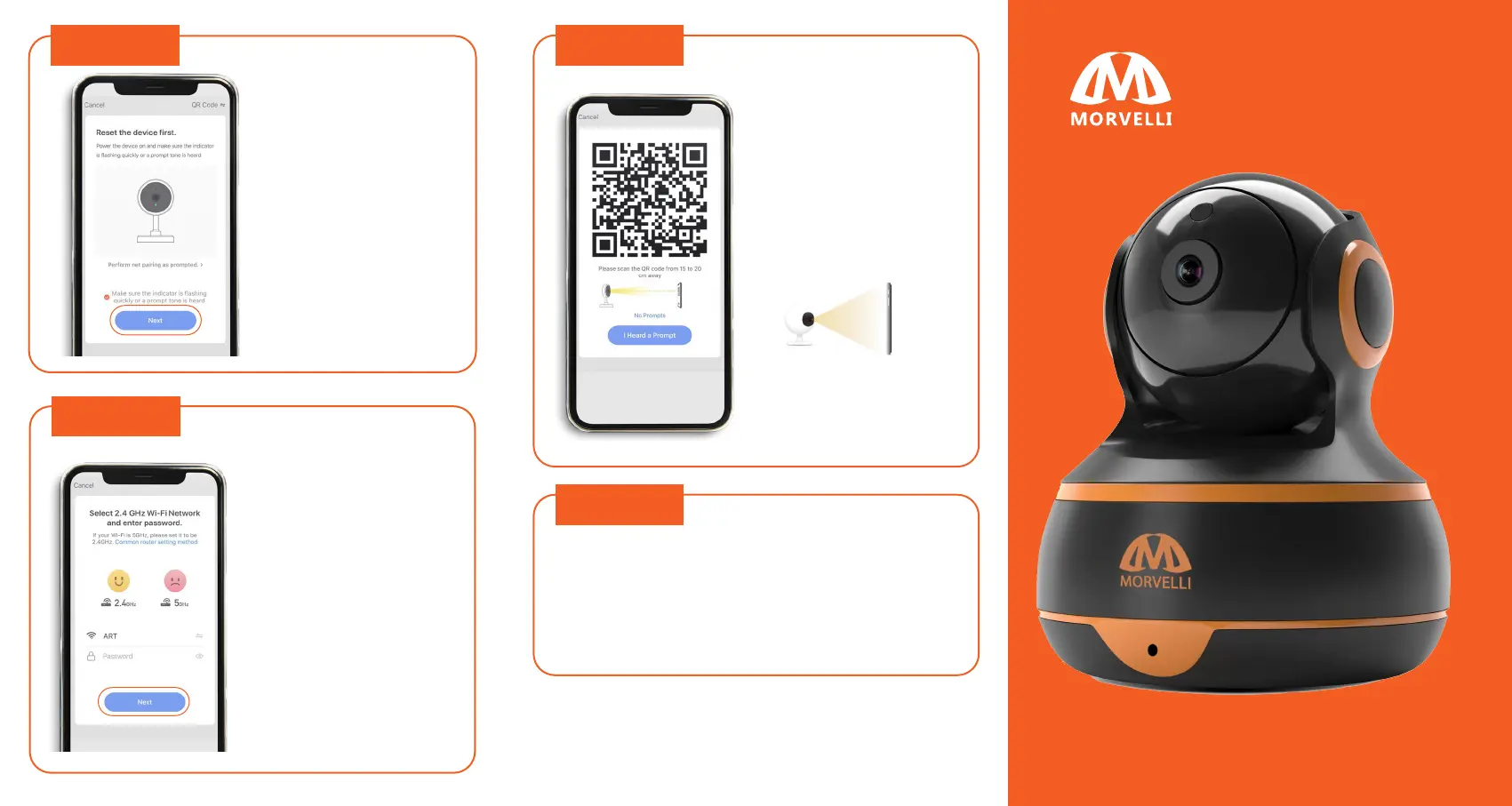
A page with resetting
the camera will open.
We have completed
this point in the
previous step. Click
«NEXT».
Your Wi-Fi network to
which we connected
earlier will be displayed.
Enter the password for
this network and click
«NEXT».
3-7 inc
STEP 10
STEP 11
The full screen of your
smartphone will display a
QR code. You need to
scan this QR code with the
Morvelli FHD22 camera.
Place your smartphone
opposite the camera lens
at a distance of 3-7
inches.
After successfully scanning the QR code, the camera
will emit lingering sound.
Click «I heard a Prompt». The camera will start to
connect, and when the process reaches 100%, the
connected camera will be displayed on the screen.
Done!
Your camera is connected to your
Smart Life account!
WI-FI HOME SECURITY CAMERA
FHD22
QUICK START GUIDE



 To Previous Page