O
Green breathing light
Green steady on
Red flashing
Not charging
Charging
Fully charged
Foreign Object Detection error
1
4
2 3
Package Contents
• Symbus Q
• Power Adapter
• Power Cord
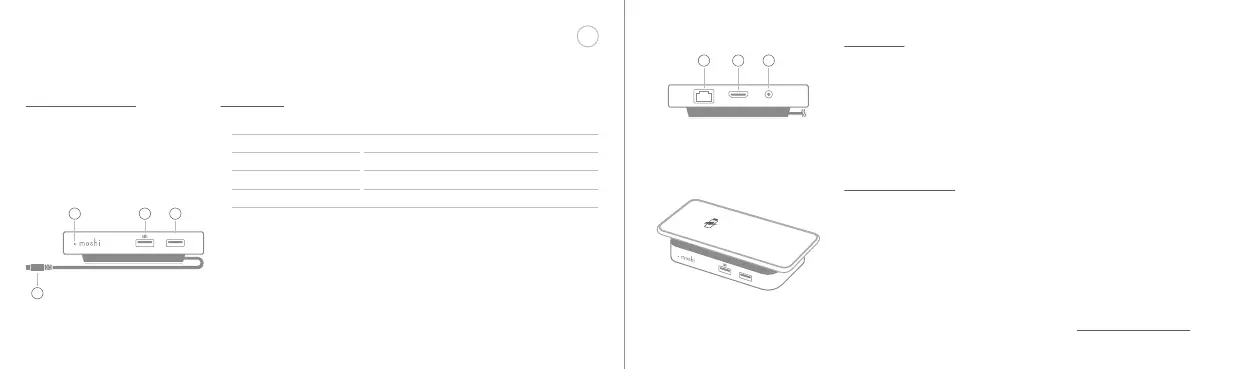
Front View
1. Smart LED: This LED indicates wireless charging.
2. USB 3.1 Gen 1 with fast-charging: 5 Gbps data transfer and
max. 5 V/2.1 A charging.
3. USB 3.1 Gen 1 with standard charging: 5 Gbps data transfer
and max. 5 V/0.5 A charging.
4. USB-C cable: Thunderbolt 3 (USB-C)-compatible and 100%
plug-and-play, no drivers needed.
EN
Quick Start Guide
Rear View
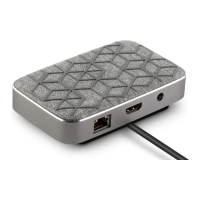
1. Gigabit Ethernet port: For wired data transfer up to
1000 Mbps.
2. HDMI port: For adding an external display (4K@60 Hz, HDR).
3. DC in: Connect the included power supply here.
Wireless Charging
• Qi-certified wireless charging.
• Supports Apple 7.5 W, Google 11 W and Samsung 9 W wireless
fast-charging.
• Charges through cases up to 5 mm thick.
• Foreign Object Detection troubleshooting:
1. Remove any metal objects like coins or keys between your device
and Symbus Q.
2. Unplug the power adapter for Symbus Q then plug it in again.
3. If the problem persists, please contact support@moshi.com.
1 2 3
P.01 封面裡


 To Next Page
 Loading...