7
Note: When installing the system in this configu-
ration, use the soundbar’s menu system to choose
‘INSTAL > ON.WALL’.
Required tools (not included):
• Stud finder
• Level
• Electric drill and drill bits
• Phillips screwdriver
Required hardware (included):
• (1) Installation template
• (1) Wall bracket
Required hardware (not included):
• (5) Screws appropriate for mounting surface
• (5) Sheet rock anchors (sized for screws)
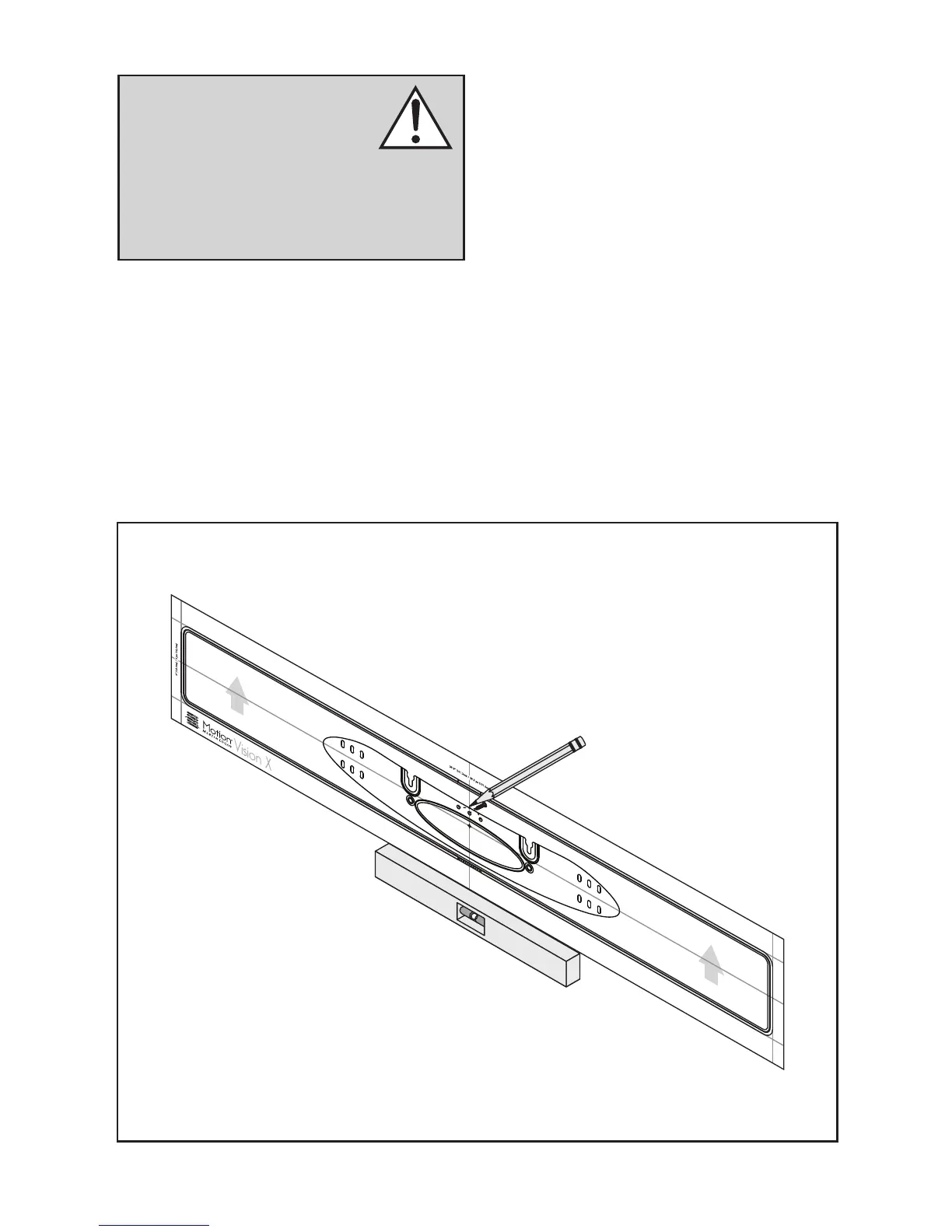
1 Locate mounting location using a level and the
installation template (fig. 1).
2 Mark the three central pilot hole locations and
remove the installation template (fig. 1).
3 Using a stud finder, determine if there is a wall
stud directly behind one of the three center
screw locations (fig. 2a).
Fig. 1
WARNING! We strongly recom-
mend locating the wall bracket so
at least one of the screw locations
attaches to a stud. WARNING!
To prevent injury, this apparatus must be secure-
ly attached to the floor/wall in accordance
with the installation instructions.


 To Next Page