13
REC
REC
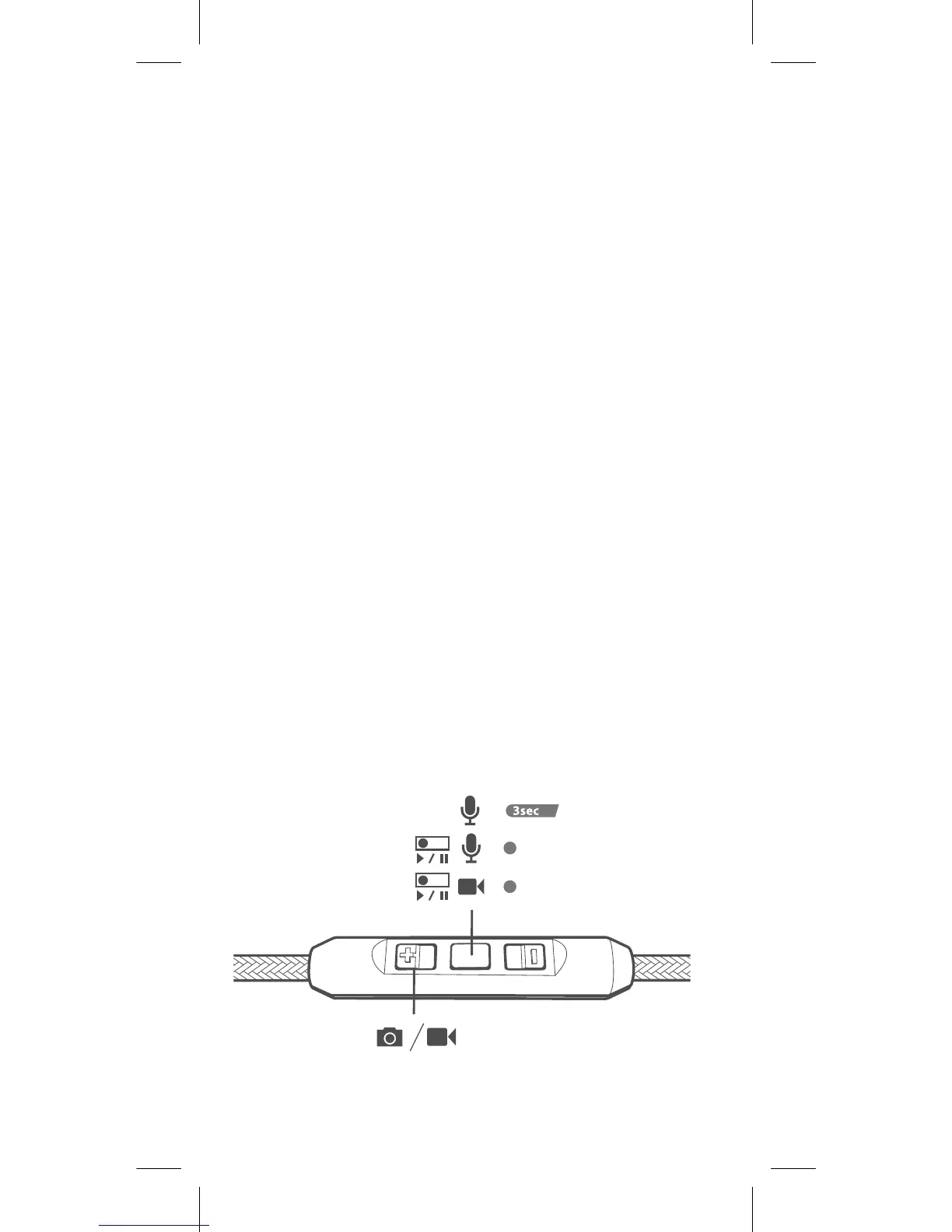
• Voice control (if your iPhone or iPod
supports voice control)
Hold down the center button for 3
seconds till you hear a tone. Use voice
control as directed on your iPhone.
• Voice recording control
Press the center button to start or stop
a recording when your iPhone is at
voice recording function.
• Video recording control
Press the center button to start or stop
a video recording when your iPhone
is in video camera mode. This is only
available for iPhone 3GS.
• Photographing and video recording
controls
Press the plus button to take a picture
or start/stop a video recording. This is
available for iPhone 4 and iPhone 4GS.


 To Next Page