Installation B
High-Definition DVR DCX3510-M • Installation Manual 21
365-095-17066-x.1
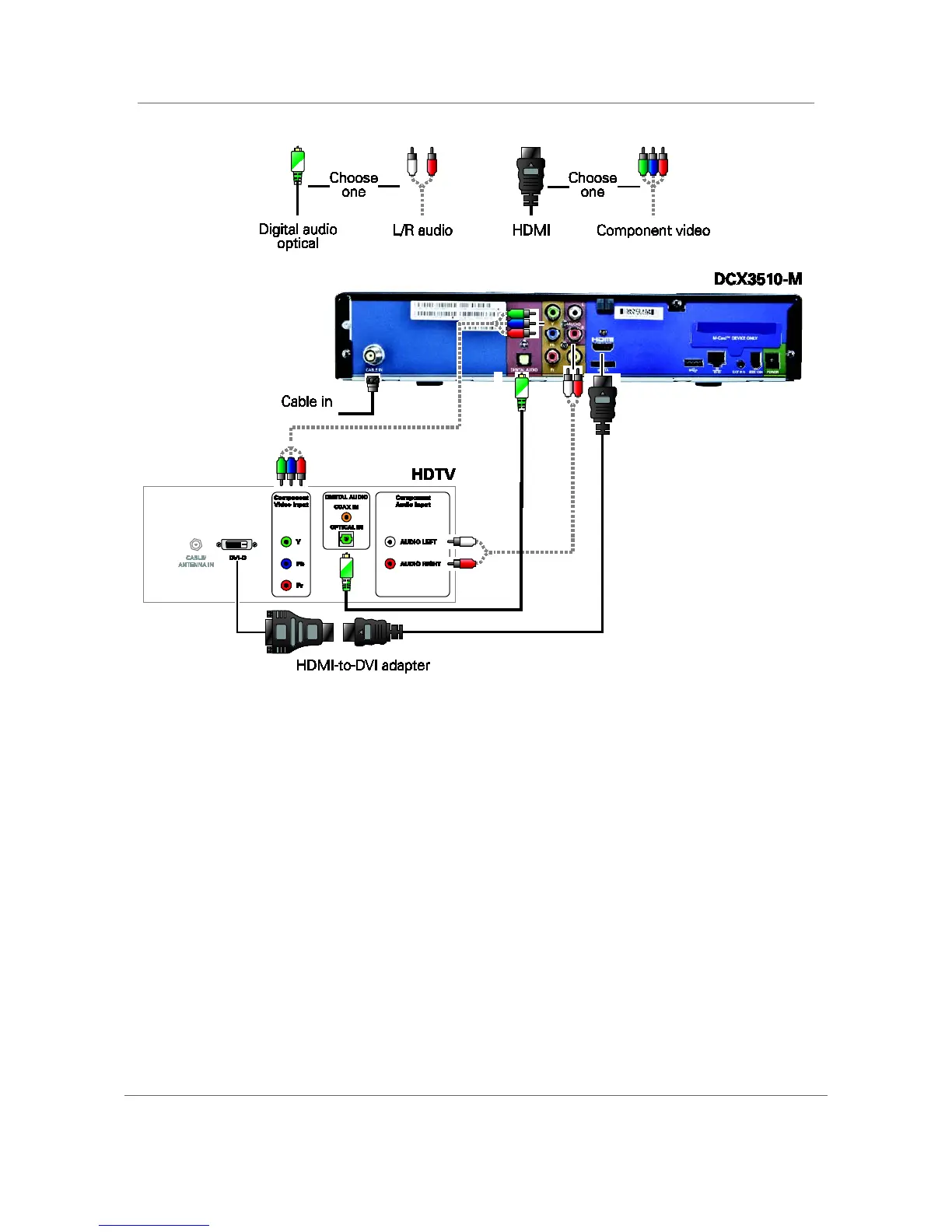
Figure 5: Connecting an HDTV — Separate Video/Audio Connections
Note: If the receiver can check the baseband and digital audio (S/PDIF) ports for
appropriate channels, connect both the baseband and digital audio connections.
Otherwise, do not connect both the baseband left/right composite connections and the
coaxial digital connection. The baseband connections are not necessary because the
digital audio port provides a single audio interface for digital channels.
Note: If the A/V receiver includes HDMI inputs and output(s), then the DCX3510-M
HDMI output can be directly connected to the A/V receiver.



 To Next Page
 Loading...





