Configuring the User Settings B
High-Definition DVR DCX3510-M • Installation Manual 38
365-095-17066-x.1
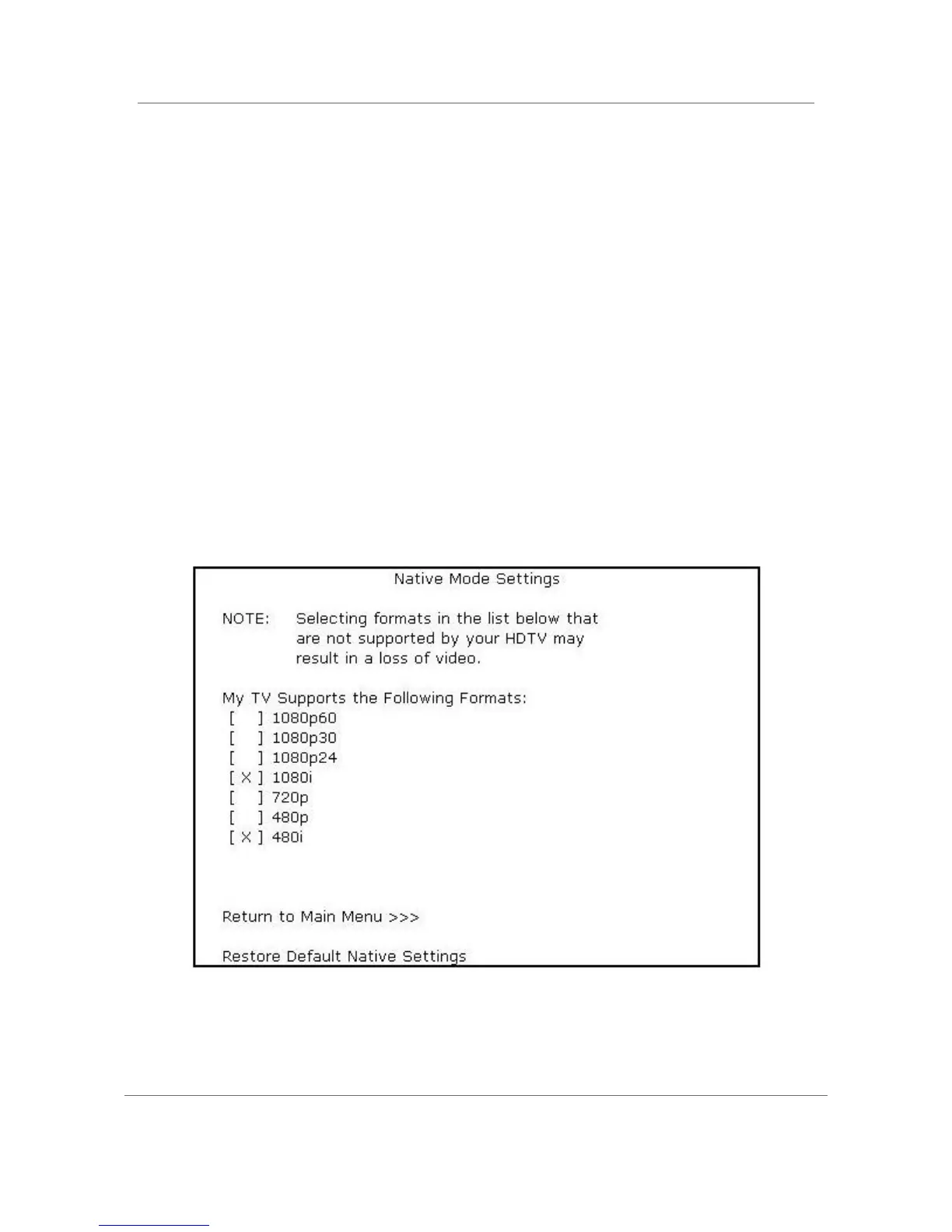
Native Mode Settings Screen
The Native Mode Settings menu configures the operation of the native mode feature on
the DCX3510-M. The DCX3510-M can receive and decode a number of different digital
video formats. When operating in native mode, the DCX3510-M generates the video
output format that most closely matches the broadcast video format.
For example, if the DCX3510-M is configured to operate in native mode, a channel
broadcast in the 720p format is output to the television in the 720p format, while a
channel broadcast in the 1080i format is output to the television in the 1080i format.
When using the native mode feature of the DCX3510-M, please exercise caution when
selecting the formats from the checklist. If a format is selected that is not compatible
with the television, there may be a loss of video whenever the DCX3510-M is tuned to a
channel broadcast in that format.
If the television is connected to the DCX3510-M using an HDMI cable, the DCX3510-M
automatically customizes the checklist of supported formats reported by the television. If
the television is connected to the DCX3510-M using Component Video (YPbPr) cables,
the checklist needs to be customized manually.
Note: At least one of the [1080p - 1080i – 720p – 480p – 480i] formats must be selected
from the checklist for the DCX3510-M to operate properly in native mode.
Figure 15: Native Mode Settings Menu Screen



 To Next Page
 Loading...





