Getting started - Connecting Devices 17
ENGLISH
iOS
3.3 User Account and Camera Setup:
Working with iPhone
®
/iPad
®
What you need
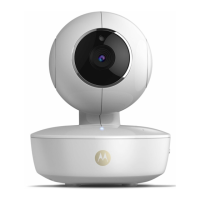
• FOCUS73 camera
• FOCUS73 camera power adapter
• iPhone
®
/ iPad
®
with iOS 7.0 version or newer
3.3.1 Power ON and Connect the FOCUS73 camera
• Connect the FOCUS73 adapter to a suitable mains power socket, insert the
plug into the socket of the Power Cable.
• The camera's green LED will blink after the camera has finished booting up;
this indicates that the camera is ready to be setup.
3.3.2 Download the Hubble for Motorola Monitors App
• Go to App Store to search “Hubble for Motorola Monitors”.
• Download Hubble for Motorola Monitors App and install it on your iPhone
®
/
iPad
®
.



 To Next Page
 Loading...